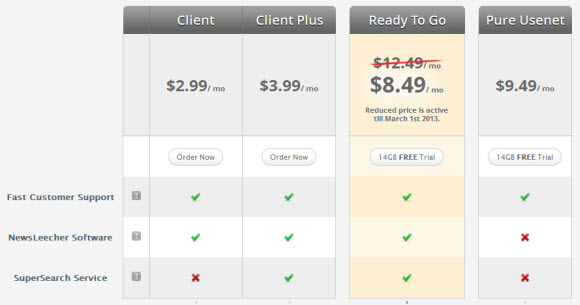
NewsLeecher Site and Client Validation Down

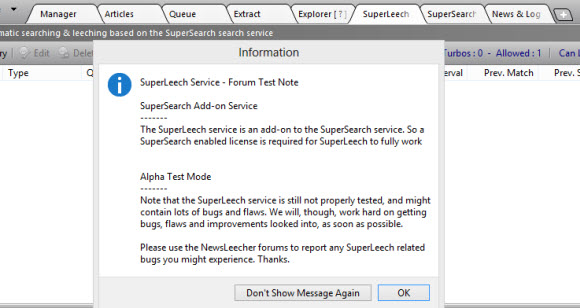
February 21, 2012 update – the Newsleecher site is currently down.  Right now the newsleecher.com site is timing out.  This time around it appears the SuperSearch service is also unreachable.

Originally posted January 7, 2012 after the first Newsleecher outage.  Updates above for recurring downtime.

A few days ago we heard from a NewsLeecher user that the site was down for a short period of time.  We didn’t report it though since it appeared to be a short-term problem and all sites have technical issues now and then.  Today is worse though as users are reporting that not only the Newsleecher.com site is down but the newsreader is failing to work properly for some as the software key validation server isn’t responding.

Visiting the Newsleecher.com website returns a ‘Bad Request (Invalid Hostname)’ message.  We have been able to use NewsLeecher 5 beta 12 and SuperSearch features but understand some are having problems.  With the software reporting an error in response from the key validation server.  We’re not sure why some are having issues while others aren’t.  Perhaps NewsLeecher phones home at certain intervals.

Regardless of the reason behind the issue the outage points to a deeper challenge for software developers who choose to validate software keys on launch or at regular internals.  As in this case technical issues leave some users without access to the newsreader and SuperSearch service.

NewsLeecher has been one of our favorite Usenet clients over the years.  We admire the new features and pace of development over these last few months.  So we’re not changing our opinion of the software over this incident but also understand why some customers are frustrated by the outage.

NewsLeecher alternatives

Those having issues with their NewsLeecher client might consider these alternatives:

  • Newshosting offers unlimited Usenet with a client and Usenet search for $9.99 a month or $99 a year.
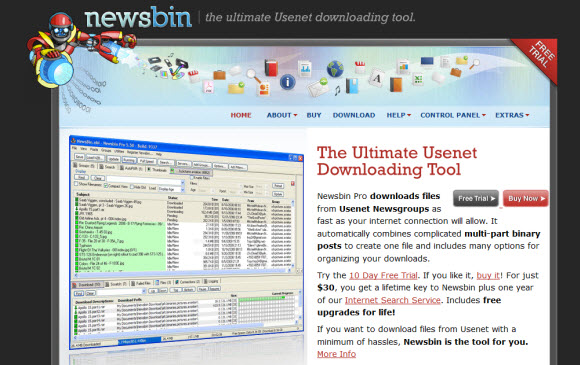
  • Newsbin Pro is another of our favorite newsreaders.  They offer an optional Usenet search service.
  • SABnzbd is an open source, web-based newsreader that runs as a web server with some cool add-ons.
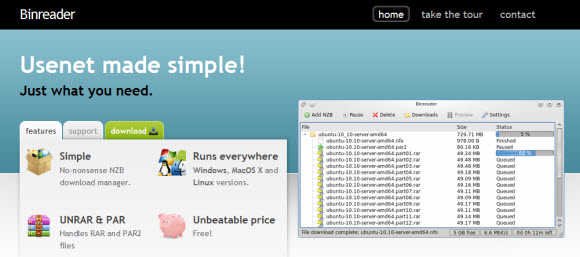
  • Binreader is another great choice.  We enjoy running the Windows portable version from thumbdrive.

As we finish this post it looks like the NewsLeecher.com site has been down for over four hours.  We hope the site and validation server access is restored soon.  For future issues it would also be nice if NewsLeecher had a way to notify customers of outages.  Either via a Twitter account or another domain would work nicely.  As NZBMatrix does a good job of posting any planned maintenance or outages on nzbmatrix.info.

Visit Newsgroup Reviews to compare Usenet clients and follow us @NewsgroupRevs for the latest deals.

Best Usenet Clients : Free Newsreader Downloads

For those new to Usenet the task of finding the right newsreader can be challenging.  Especially if you’re not sure where to look and what features are the most important.  Today we’re going to honor our 2012 Editors Choice Award winners and recommend some excellent Usenet browsers.  Some are free to download and use while others offer free trials.  We’ll make it clear whether the clients are free or premium.  Along with highlighting some of the key features that helped each newsreader, web client or mobile Usenet app make our list.

Similar to our Best Usenet Provider awards we recognize more than one winner.  As there are way too many great newsgroup services and Usenet clients on the market.  In the case of newsreaders we could easily list ten or more clients.  For the purpose of our awards we have chosen six winners.  Along with a top 10 list.

Without further delay we’d like to congratulate each of our 2012 NGR Editor’s Choice winners.  The list includes the Newshosting Client, Easynews Web Interface, Newsbin ProSABnzbd, NewsLeecher and Binreader.  Round out our list of the Top 10 Usenet clients were Binverse Client, GrabIt, Unison, and EZ Global Search.

Let’s take a closer look at our 2012 NGR Editor’s Choice winners for “Best Usenet Clients“:

Newshosting Usenet Client : 2012 NGR Editors Choice Award

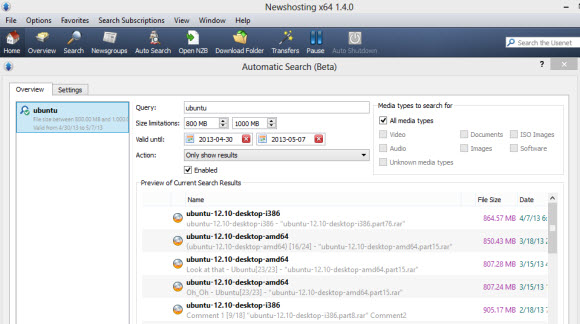
Newshosting released their new Usenet client last year.  With all the features you’d expect from a leading newsreader and some extras.  The client is free for Newshosting members and is available for Windows, Mac and Linux.  With a Usenet search engine, video previews, auto-repair and auto-unRAR functions the client takes care of everything.  All you do is choose what to download and let the Newshosting client do the rest.

Newshosting offers 1,250+ days of binary retention along with 1,400 days of text posts.  Subscribers enjoy unlimited Usenet access, Newshosting Usenet client, 256-bit SSL, uncapped speed and 24/7 support.  Take advantage of the Newshosting $9.99/mo. and $99.99/yr. unlimited Usenet specials.

Easynews Web Interface : 2012 NGR Editors Choice Award

Who says you need a newsreader client to access newsgroups?  Most people assume that to be the case but it isn’t as Easynews offers an excellent web Usenet interface.  With the ability to search for content, preview files, stream content and download from Usenet.  The Easynews web interface is free to members.  In fact you can try Easynews free for 14 days.  There are also some really cool iPhone, iPad and Android apps.

Newsbin Pro Usenet Client : 2012 NGR Editors Choice Award

Newsbin Pro has been an NGR editor favorite for years now and they continue to innovate and make the popular Usenet client even better.  Newsbin offers an excellent user interface with support for compressed header downloads and NZB files.  Newsbin will even help you organize downloads.  The client costs $20 and includes free lifetime updates.  With an optional Usenet search feature.  New users can download a 10 day free trial.

SABnzbd Usenet Client : 2012 NGR Editors Choice Award

SABnzbd hardly needs an introduction for Usenet fans.  The free, open-source Usenet browser has been downloaded over 3.5 million times (Windows, Mac and Linux).  SABnzbd+ turns your web browser into a Usenet client.  It lacks features for those who want to download headers or enjoy text groups.  Yet for binary seekers SABnzbd is very cool.  Drop in an NZB file and SABnzbd will download, verify, repair and extract the contents.

NewsLeecher Usenet Client – 2012 NGR Editors Choice Award

NewsLeecher is another premium client that we’ve enjoyed using over the years.  Especially their SuperSearch feature which is great for easily finding Usenet content.  The user interface is clean and the client presents some nice advanced features.  With lots of bells and whistles to configure for enhancing your Usenet experience.  The client costs $19.99 a year or $29.99 a year for NewsLeecher + SuperSearch.

Binreader Usenet Client – 2012 NGR Editors Choice Award

We enjoy Binreader for a number of reasons.  First of all its free and available for Windows, Mac and Linux.  Secondly they offer a portable version that you can run from a thumb drive.  With Binreader you can search for content through Binsearch.info and let the client do the rest.  From downloading to PAR2 repair and RAR extraction.  You can download the latest version directly from the Binreader site free of charge.

We hope you’ve enjoyed our 2012 Editor’s Choice Awards for the best Usenet clients.  Please help us recognize and congratulate the winners for their efforts.  You might also want to check out our Editor’s Choice Awards for “Best Usenet Providers“, “Best Usenet Deals” and “Best Free Usenet Trials” as each is updated frequently.

NewsLeecher Releases Version 5 Beta 9 and 10

The developer of NewsLeecher continues to innovate the popular newsreader at a fast pace.  We remember a time not too long ago when some wondered whether or not NewsLeecher would continue with new versions.  In the last year that question has been answered with a final release of version 4 and the steadfast development of version 5.  With ten beta versions released so far.  Including the beta 9 and 10 versions released this month.

Head on over to NewsLeecher and download the latest version 5 beta 10 beta.  Existing members have free access to all the beta releases.  If you’re currently running the final release of v4 we highly recommend you give the v5 beta a test drive.  As there are several advantages.  Those new to the client can try it free for 14 days.

Here is a list of features in the NewsLeecher version 5 beta 9 and 10 releases.

NewsLeecher v5.0 Beta 10
Release Date: 2011-12-06 16:43:42

+: (Re)implemented shortcuts for navigation subscribed Usenet
groups. Next Group = Alt + Right Arrow, Prev. Groups = Alt +
Left Arrow, Next Virt. Group = Alt + Down Arrow, Prev. Virt.
Group = Alt + Up Arrow.
+: Added ‘Create New Folder’ button to the NewsLeecher File
Explorer toolbar.
*: Smaller fixed and improvements.

NewsLeecher v5.0 Beta 9
Release Date: 2011-12-01 14:23:39

+: Added ‘Append to SuperSearch Search Query’ input box. The box
can be used for inputting a string that should always be
appended to the query sent to the SuperSearch server.
This can be useful for, for example, permanently excluding
articles containing certaing keywords, such as language
specific articles.
+: The width of the main filter boxes in NewsLeecher are now
automatically adjusted, depending on the space available on the
NewsLeecher toolbars.
The max width of the boxes can be changed here:
Settings -> Adv. Nerdy Tweaks -> Search Filter Max Pixel Width
+: Implemented a Quick Link feature, that can be used to quickly
execute a program or open a URL, by clicking a shortcut.
The links can be accessed and edited from:
Tools -> Quick Links
The links can also be accessed by keyboard shortcuts, Ctrl+1,
Ctrl+2 and Ctrl+3.
*: Vastly reduced the CPU cycles used by NewsLeecher, when lots
of articles were present in the Download Queue.
*: Fixed and enhanced the “Download to Groupname Subfolder”
feature, so only one groupname is used when creating the
subfolder, in case the article comes from multiple groups.
NewsLeecher now matches the article groupnames against the list
of local group subscriptions, to find the best suited name for
the subfolder.
*: Redesigned the two Articles Broweser toolbars, and re-arranged
some buttons on the final toolbar.
*: Redesigned the SuperSearch view, so it uses less pixels. A
major redesigned of the SuperSearch view in on the todo list.
*: XMas there performance improvements and lots of other smaller
improvements.
!: F8, F9 shortcuts are working again. The “Run Command Line on
Empty Queue” works again. Other smaller fixes.

Visit Newsgroup Reviews to compare newsreaders and follow us @NewsgroupRevs for the latest offers.

NewsLeecher SuperSearch It Feature

NewsLeecher is hard at work on their version 5 release.  With new betas posted in October and November.  The betas have included a number of new features, tweaks and most recently a holiday theme.  A couple weeks ago we shared our impressions of the new Repair & Extract Destination Manager.  Now we’d like to share our thoughts on the other major update in the NewsLeecher v5 beta 7 release.  Namely the SuperSearch It feature.

First let’s take a look at the SuperSearch It feature description from the NewsLeecher v5.0 Beta 7 notes:

A new feature named SuperSearch It, has been implemented for all tab views in NewsLeecher. The feature makes it very fast and easy to use SuperSearch for searching specific groups, article subjects and poster names. The feature also makes it very fast to browse entire groups through SuperSearch, without having to fetch headers for the specific group. Feature can be accessed by the ‘Flash Icon’ buttons, or the F4 keyboard shortcut.

The first thing you want to do is download and install NewsLeecher 5 beta 7 or higher.  Beta 8 includes the holiday theme.  To access the new feature you’ll want to open NewsLeecher and either click on a lightning bolt “flash icon” button or press F4.  Either will display the following SuperSearch It screen:

We found the new SuperSearchIt feature quite helpful for finding content in a specific newsgroup without downloading headers.  Either by topic “article subject” or by poster name.  Notice that “days to search” defaults to 30.  Depending on your topic of interest you can definitely increase that number.  We chose “ubuntu” as our topic of interest and searched just within the alt.binaries.cd.image.linux group for results in the last 30 days.

As you can see our search netted 5 results.  You might also notice how the query is structured as ubuntu groups:”alt.binaries.cd.image.linux”.  Once you get the hang of it you can easily type in your own queries.  Adjusting the number of days to search via the dropdown to the left of the search field.

While our example was pretty simple it illustrates the usefulness of the new SuperSearch It feature.  Remember to use the new features you will need NewsLeecher version 5 beta 7 or higher.  Customers can download the latest beta directly from their site.  Those new to the reader can make use of their free trial to test the client.

Visit Newsgroup Reviews to compare Usenet clients and follow us @NewsgroupRevs for the latest deals.

NewsLeecher Christmas Theme in v5 Beta 8

The latest edition of NewsLeecher – Version 5 Beta 8 – has a new Christmas theme.  The xmas theme is cool.  With snow dropping from the top of the page.  We dig it.  Those who prefer another look can disable the theme.  We look forward to future NewsLeecher themes.  Newsleecher customers can grab the latest beta directly from the NewsLeecher download page.  Those new to the Usenet client can download a 14 day free trial.

The xmas theme is just one of the new features in the latest NewsLeecher beta.  Here’s a full list of changes directly from the NewsLeecher history log:

NewsLeecher v5.0 Beta 8
Release Date: 2011-11-16 17:42:31

*: ---------------------------------------------------------------
   -- Larger Change - Redesigned User Interface -- ---------------
   ---------------------------------------------------------------
   The graphical user interface in NewsLeecher has been changed
   quite a bit, to make the application more streamlined.
+: Implemented an xmas theme for NewsLeecher. The animated
   snow, that is part of the theme, can be turned off via this
   setting:
   Settings -> Adv. Nerdy Tweaks -> GUI Theme Animations Allowed
   This, and future themes, can be turned off complete from:
   Settings -> Adv. Nerdy Tweaks -> GUI Theme Allowed
+: The Repair & Extract Destination Manager can now also match
   PAR2 set names against group names, to decide the destination
   folder for extraced archives.
+: Implemented a GUI compact mode feature, that, when enabled,
   will resize some of the toolbars in NewsLeecher, so they take
   up less space on screen. Can be accessed via settings:
   Settings -> Adv. Nerdy Tweaks -> GUI Compact Mode
*: Vastly reduced the CPU cycles used by NewsLeecher, when lots
   of sets were present in the Repair & Extract view.


Visit Newsgroup Reviews to compare Usenet clients and follow us @NewsgroupRevs for the latest news.

NewsLeecher Repair & Extract Destination Manager

Repair and Extract Destination Manager is one of the new features in NewsLeecher version 5 beta 7 released late last month.  The new R&E Destination Manager feature allows users to choose where specific articles are extracted based on keywords in the subject of the articles.  That might sound confusing but we’ll show an example in a moment.  Those who download a lot will want to consider the new R&E Destination Manager.

First here’s a description of the Repair & Destination Manager from the NewsLeecher history log:

A new feature named “Repair & Extract Destination Manager” has been implemented. This feaure makes it possible to tell Repair & Extract where to extract specific downloaded articles, based on customizable keywords matched against the articles subjects. The feature replaces the current settings used to specify where R&E should extract archives, but we’ve tried to make it backward compatible, so your R&E extract settings remain intact, until you decide to change them through the newly implemented manager.

First download and install NewsLeecher 5 beta 7.  To access the new feature you’ll want to open NewsLeecher and go to Settings and then Repair / Extract.  Then you’ll notice a large button that says Repair and Extract Archive Extract Destination Manager.  Clicking on the button will bring up the following screen:

The first time you enter this screen the table will be blank.  To add entries simply check the Usenet Repair and Extract Destination Manager check box.  Then click the Add icon.  The following screen will appear:

As you can see we added an article search keyword match for the term ubuntu and specified a new destination folder.  That’s really all there is to it.  Setting up custom destination folders is easy and will help you organize files.  Especially for those who download a lot of content of the same subject.

Visit Newsgroup Reviews to compare newsreaders and follow us @NewsgroupRevs for the latest deals.

NewsLeecher Version 5 Beta 7 Released

NewsLeecher released a new beta of their popular Usenet client on October 24th.  Since then we’ve had a chance to run it through the paces and enjoy some of the new features.  The version 5 beta 7 release includes some cool new features like ‘Repair & Extract Destination Manager’.  Along with ‘SuperSearch It’ for quick, refined searches.  Grab the latest version 5, beta 7 release from the NewsLeecher download page.

Stay tuned as we’ll share our impressions of the new NewsLeecher features along with screenshots and more detailed information later this week.  In the meantime download the new beta and let us know what you think.  Here’s a full list of features in v5 beta 7 from the NewsLeecher release log:

NewsLeecher v5.0 Beta 7
Release Date: 2011-10-24 13:00:05
+: ---------------------------------------------------------------
   -- Larger Feature Addition - R&E Destination Manager -- -------
   ---------------------------------------------------------------
   A new feature named "Repair & Extract Destination Manager" has
   been implemented. This feaure makes it possible to tell
   Repair & Extract where to extract specific downloaded articles,
   based on customizable keywords matched against the articles
   subjects. The feature replaces the current settings used to
   specify where R&E should extract archives, but we've tried to
   make it backward compatible, so your R&E extract settings
   remain intact, until you decide to change them through the
   newly implemented manager.
+: ---------------------------------------------------------------
   --[ Larger Feature Addition - SuperSearch It ] ----------------
   ---------------------------------------------------------------
   A new feature named SuperSearch It, has been implemented for
   all tab views in NewsLeecher. The feature makes it very fast
   and easy to use SuperSearch for searching specific groups,
   article subjects and poster names. The feature also makes
   it very fast to browse entire groups through SuperSearch,
   without having to fetch headers for the specific group.
   Feature can be accessed by the 'Flash Icon' buttons, or
   the F4 keyboard shortcut.
+: Implemented an option to completely hide the 'Posting View',
   when no articles are queued to be posted. The option can be
   turned on / off from by clicking the button, right-most on
   the transfer queues toolbar.
*: We have begun to convert various code parts used in
   NewsLeecher, in preparation to port the application to Mac OS
   X. Note that these are *very* *very* early conversion tasks. A
   fully funtional NewsLeecher OS X port still lies quite a while
   into the future.
*: Visual interface consistency improvements have been
   implemented.
*: Smaller improvements here and there.

Visit Newsgroup Reviews to compare Usenet clients and follow us @NewsgroupRevs for the latest news.

Newsleecher 6 In Development + Usenet Service

It’s been awhile since Newsleecher released version 5 of their popular newsreader.  From today’s news it appears they have been busy and are getting ready for some big updates.  Including the next v5 beta and development on Newsleecher version 6.  In addition to something completely new.  Newsleecher plans to roll out their own Usenet service along with a new website design.  No timeline was given for the projects.

Here’s the message posted on the Newsleecher site:

Wow, time flies, and it has been a long time since the previous NewsLeecher release.

But we can assure you that the NewsLeecher project isn’t going away anytime soon. Quite the opposite actually.

We are currently working on the next beta, and we have also initiated the development of NewsLeecher V6. The next beta of NewsLeecher will be out soon.

Besides that, we are progressing on a major overhaul of the NewsLeecher website, as well as a new Usenet service, which we will introduce together with the new website.

Good times ahead for NewsLeecher :)

We look forward to seeing the next NL v5 beta and getting our hands on the first Newsleecher 6 beta.  Hopefully in the not too distant future.  As the development of Newsleecher is always fun to follow.  We have enjoyed the version 5 release.  Especially the multi-tabbed Supersearch and Watchdog features.

We find the upcoming Newsleecher Usenet service of particular interest as well.  This news comes a year after Giganews releases Mimo and a month after the Newshosting client release.  Newshosting offering a free Usenet client and unlimited Usenet access for $9.99 a month has to put some pressure on premium clients like Newsleecher and Newsbin Pro.  Both of which cost around $30 a year with the search feature.

When you break down the cost, a service like Newshosting that offers quality Usenet + a free client with premium features for less than $10 a month is really hard to beat.  At the moment customers have to decide whether or not Newsleecher is worth $29.99 a year (with SuperSearch) on top of a Usenet subscription.  Considering Newshosting also offers $99 annual accounts their newsreader is bound to make a big impact on the market.  Can Newsleecher do the same with their new Usenet offering?  We’ll find out soon enough.

Newsleecher won’t be the first client to offer Usenet service.  Just as Newshosting isn’t the only provider to offer a reader.  Both scenarios have the potential of doing quite well.  Which would you prefer?  Knowing the reliability track record of the Usenet service or the quality track record of the client?

Here are a few Usenet providers who currently offer newsreaders.  Either their own or free third-party clients.  All of the prices listed are special offers on unlimited Usenet with free clients.  Some offer addition features.

In addition the following newsreaders offer Usenet service:

As you can see Newsleecher will be joining a pretty distinctive group.  Offering Usenet service with a client or vice versa.  We look forward to learning more in the near future.  As always stay tuned for the latest updates.

Visit Newsgroup Reviews to learn more about Usenet.  Including newsreader reviews, Usenet providers reviews, guides, free trials and special offers.  Follow us @NewsgroupRevs for the latest Usenet news.
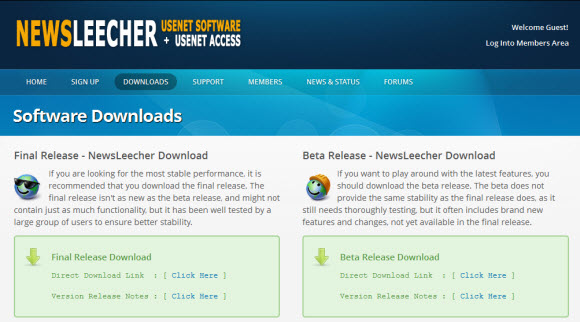
Newsleecher iPhone / iPad / Android Client

Earlier this week we tested Newsbin Pro using a remote desktop app called Splashtop.  Since then we decided to test some more Usenet clients including Newsleecher.  The results were equally impressive.  As the Splashtop app allowed us to easily access Newsleecher on our Windows 7 system and remotely control the newsreader.  Here is a screenshot of Newsleecher running on the iPad.

As you can see above we were able to connect to our desktop from an iPad via Splashtop.  The graphics display was good and responses times were quick.  After a couple days the touchpad controls are now almost second nature.  We really enjoy accessing our favorite newsreaders via Splashtop.  Here ‘s the scoop on the app.

Splashtop remote desktop app:

  • Splashtop for iPad: $1.99 – iTunes product page
  • Splashtop for iPhone / iPod Touch: $0.99 – iTunes product page
  • Splashtop for Android devices: $2.99 – Android product page
  • Spashtop HD for Android devices: $6.99 – Android product page
  • Splashdot remote desktop for Palm Pre: $4.99 – Palm product page
  • Remote desktop app for iPad, iPhone, iPod Touch, Android and Palm Pre
  • Splashtop supports 30 FPS (frames per second)
  • Latency is around 174 ms.  Which is about .2 seconds.

So far we’ve tested Newsleecher along with Newsbin Pro and Binreader.  Using Splashdot from our iPad to remotely control each client from our Windows 7 box.  These are all clients that don’t otherwise offer mobile apps.  So accessing them from iPad is definitely a treat.  We look forward to bringing you more coverage of Splashtop and other apps that help make our Usenet experience even more enjoyable.

Usenet Guide : Avoiding Password Protected RAR Files

Password protected RAR files are annoying to say the least.  We’re not going to say that 100% of the passworded files are spam but most certainly appear that way.  Or worse as many posts instruct the downloader to visit a site.  Enter survey information, join the site, accept certain offers, etc.  Not to mention the viruses and malware that can be attached.  For those reasons we choose to avoid password protected posts.

If you agree and would like to disregard passworded RAR files then read on as we’ll provide some tips for finding the passworded posts before downloading.  Saving you lots of time and bandwidth / Usenet account usage.  With an additional tip to help avoid RAR-in-RAR archives.

Step 1 – Mysterbin Advanced Search – No Password

You’ll want to start with a quality Usenet search site like Binsearch or Mysterbin.  In the case of Mysterbin you can choose whether or not to include password protected files in the search results.  Simply visit https://www.mysterbin.com/advsearch, click on the Advanced Search page and choose  “No Password”.

In addition you might want to check out Nzbmatrix as their members often post comments related to password protected posts.  The site is also a good source of information on the quality and usability of newsgroup posts.

Step 2 – Newsleecher Leech Tweaks – Pasworded RAR-in-RAR Archives

Those who gain from password protected RAR’s have found a way around the Usenet search engines blocking passworded posts.  To avoid detection they are including a non-passworded RAR archive with a password protected RAR inside.  Staying one step ahead of most nzb sites and newsreaders.  However the Newsleecher v5.0 beta 5+ (download) has a new RAR-in-RAR Archive feature.

To access the new feature click on Tools – Settings.  Then choose the Leech Tweaks under Download.  Here you have the option to pause downloads that include password protected RAR-in-RAR archives.  Some other useful tweaks above let you tell Newsleecher how to treat PAR files.  Choosing to “Auto Pause PAR Files” can save you even more bandwidth when repairs aren’t necessary.

Linux fans will also want to check out URD (Usenet Resource Downloader) as we understand the Usenet browser will automatically detect encrypted RAR’s and cancel the downloads when found.

We hope our guide will help you avoid password protected RAR archives.  If you’re having additional issues with performance or completion check out our list of top Usenet providers.  As not all Usenet services are created equal but you can find quality, unlimited Usenet access for under $10 a month.