SABnzbd Releases Version 0.6.14

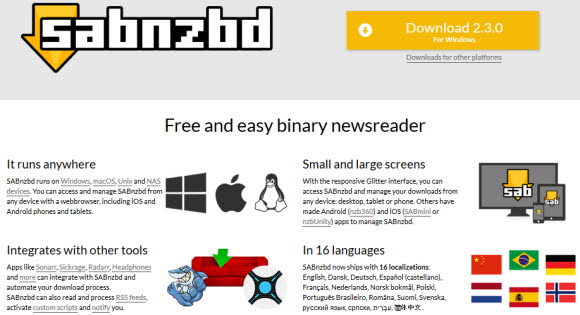
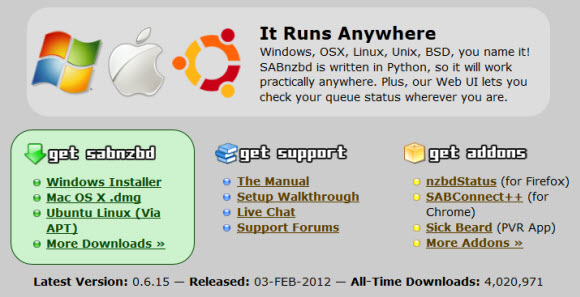
What better way to cross the 3.5 million download mark than to roll out a fresh new release of SABnzbd.  Version 0.6.14 includes some new features along with bug fixes.  As always you can download the latest version of SABnzbd for free directly from their site.  The popular Usenet client is compatible with Windows, Mac OS X and Linux.  SABnzbd is open-source which brings lots of third party add-ons to further enhance the experience.

Here’s a list of updates in SABnzbd v0.6.14 from their blog post:

  • When retrying an URL fetch from History, remove the History entry
  • Fix job folder creation by Movie Sort when the Sort expression specifies one
  • Fix problem with retrieving ZIP files from some web sites
  • Improve detection of encrypted RAR files during download
  • When par2 fails and SFV-check enabled, verify using SFV files
  • Perform extra checks on job administration
  • Fix logging of pre-queue script result
  • Better support for Yahoo pipes
  • Accept NZB files containing incorrect dates
  • Make sure that paths coming from Sorting are normalized for the platform
  • Make newzbin “Get bookmarks now” button independent of automatic readout
  • Don’t reset watched folder path to default when it doesn’t exist at startup
  • OSX: Fix Growl issues
  • OSX: Show the promised 10 queue entries in the OSX menu instead of 9

Grab the latest version of SABnzbd and enjoy the new release.  They offer setup guides and have an active community.  So enjoy SABnzbd 0.6.14 as the project moves closer and closer to 4 million downloads.

Visit Newsgroup Reviews to learn more about Usenet.  Follow us @NewsgroupRevs for the latest news.
Best Usenet Clients : Free Newsreader Downloads

For those new to Usenet the task of finding the right newsreader can be challenging.  Especially if you’re not sure where to look and what features are the most important.  Today we’re going to honor our 2012 Editors Choice Award winners and recommend some excellent Usenet browsers.  Some are free to download and use while others offer free trials.  We’ll make it clear whether the clients are free or premium.  Along with highlighting some of the key features that helped each newsreader, web client or mobile Usenet app make our list.

Similar to our Best Usenet Provider awards we recognize more than one winner.  As there are way too many great newsgroup services and Usenet clients on the market.  In the case of newsreaders we could easily list ten or more clients.  For the purpose of our awards we have chosen six winners.  Along with a top 10 list.

Without further delay we’d like to congratulate each of our 2012 NGR Editor’s Choice winners.  The list includes the Newshosting Client, Easynews Web Interface, Newsbin ProSABnzbd, NewsLeecher and Binreader.  Round out our list of the Top 10 Usenet clients were Binverse Client, GrabIt, Unison, and EZ Global Search.

Let’s take a closer look at our 2012 NGR Editor’s Choice winners for “Best Usenet Clients“:

Newshosting Usenet Client : 2012 NGR Editors Choice Award

Newshosting released their new Usenet client last year.  With all the features you’d expect from a leading newsreader and some extras.  The client is free for Newshosting members and is available for Windows, Mac and Linux.  With a Usenet search engine, video previews, auto-repair and auto-unRAR functions the client takes care of everything.  All you do is choose what to download and let the Newshosting client do the rest.

Newshosting offers 1,250+ days of binary retention along with 1,400 days of text posts.  Subscribers enjoy unlimited Usenet access, Newshosting Usenet client, 256-bit SSL, uncapped speed and 24/7 support.  Take advantage of the Newshosting $9.99/mo. and $99.99/yr. unlimited Usenet specials.

Easynews Web Interface : 2012 NGR Editors Choice Award

Who says you need a newsreader client to access newsgroups?  Most people assume that to be the case but it isn’t as Easynews offers an excellent web Usenet interface.  With the ability to search for content, preview files, stream content and download from Usenet.  The Easynews web interface is free to members.  In fact you can try Easynews free for 14 days.  There are also some really cool iPhone, iPad and Android apps.

Newsbin Pro Usenet Client : 2012 NGR Editors Choice Award

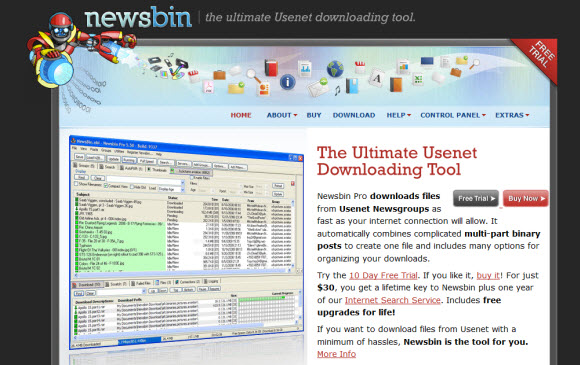
Newsbin Pro has been an NGR editor favorite for years now and they continue to innovate and make the popular Usenet client even better.  Newsbin offers an excellent user interface with support for compressed header downloads and NZB files.  Newsbin will even help you organize downloads.  The client costs $20 and includes free lifetime updates.  With an optional Usenet search feature.  New users can download a 10 day free trial.

SABnzbd Usenet Client : 2012 NGR Editors Choice Award

SABnzbd hardly needs an introduction for Usenet fans.  The free, open-source Usenet browser has been downloaded over 3.5 million times (Windows, Mac and Linux).  SABnzbd+ turns your web browser into a Usenet client.  It lacks features for those who want to download headers or enjoy text groups.  Yet for binary seekers SABnzbd is very cool.  Drop in an NZB file and SABnzbd will download, verify, repair and extract the contents.

NewsLeecher Usenet Client – 2012 NGR Editors Choice Award

NewsLeecher is another premium client that we’ve enjoyed using over the years.  Especially their SuperSearch feature which is great for easily finding Usenet content.  The user interface is clean and the client presents some nice advanced features.  With lots of bells and whistles to configure for enhancing your Usenet experience.  The client costs $19.99 a year or $29.99 a year for NewsLeecher + SuperSearch.

Binreader Usenet Client – 2012 NGR Editors Choice Award

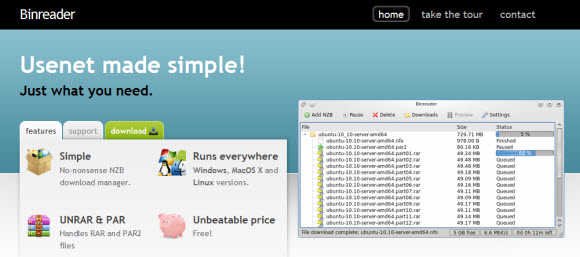
We enjoy Binreader for a number of reasons.  First of all its free and available for Windows, Mac and Linux.  Secondly they offer a portable version that you can run from a thumb drive.  With Binreader you can search for content through Binsearch.info and let the client do the rest.  From downloading to PAR2 repair and RAR extraction.  You can download the latest version directly from the Binreader site free of charge.

We hope you’ve enjoyed our 2012 Editor’s Choice Awards for the best Usenet clients.  Please help us recognize and congratulate the winners for their efforts.  You might also want to check out our Editor’s Choice Awards for “Best Usenet Providers“, “Best Usenet Deals” and “Best Free Usenet Trials” as each is updated frequently.

SABnzbd Newsreader Celebrates 3 Million Downloads

It’s no surprise to most that SABnzbd is one of the best Usenet clients around.  Given the quality and compatibility of the free, open-source newsreader.  Just how popular is SABnzbd?  How about 3,097,354 downloads as of this post.  That’s impressive!  The download numbers are snowballing so we suspect they’ll be hitting 4 million before you know it.  The project hit 2 million downloads in 3 years – on November 21, 2010.

SABnzbd is a free download for Windows, Mac, Linux and more.  So if you haven’t tried the web newsreader yet visit the SABnzbd download page.  In addition to the SABnzbd client the open-source platform allows for some excellent add-ons and scripts like CouchPotato, Sick Beard, SABMobile, nzbdStatus and myNZB.

SABnzbd is one of our favorite Usenet readers.  You can learn more about the popular client by reading our SABnzbd 0.6 review.  Better yet download SABnzbd for yourself and let us know what you think.

Visit Newsgroup Reviews to learn more about Usenet.  Follow us @NewsgroupRevs for the latest news.
SABMobile SABnzbd App for iPhone, iPad, Android

SABnzbd being an open source project definitely has it’s benefits.  As third party developers have created some really cool apps including Sick Beard (PVR), nzbdStatus (Firefox), SABConnect++ (Chrome) and many more.  Recently we’ve enjoyed testing several mobile Usenet apps.  Our favorite so far is Easy Global Search, a third-party iPhone / iPad app for Easynews.  Next on our list is SABMobile, an add-on for SABnzbd+.  With SABMobile you can remotely control SABnzbd from iPhone, iPad, iPod Touch, Android and Nokia devices.

SABMobile version 1.8.2 was added to both the iTunes App Store and Android Market last month.  The iPhone / iPad version is $2.99 and Android version is priced at $2.84.  Here are the links to each version:

iTunes App for iPhone, iPad and iPod Touch:

Android Market:

Nokia OVI Store:

SABMobile is available in 11 languages including English, French, German, Italian, Danish, Norwegian, Swedish, Dutch, Spanish, Russian and Finish.

Here is a list of features in SABMobile:

  • Handles configuration for several SABnzbd+
  • Handles several configurations per server (local, https, SSH, …)
  • Works with SABnzbd version 0.5.x or greater
  • Connects through HTTP, HTTPS (SSL) or HTTP over SSH
  • Works over WIFI, EDGE and 3G
  • Lists downloads on your server
  • Can pause/resume/remove downloads
  • Displays download rates, downloaded size, progress, etc…
  • Can change category of a downloading task
  • Supports autorefresh (can be disabled if connected in 3G, to reduce internet trafic)
  • Can add direct link downloads (if copied from somewhere else)
  • Can specify the category when adding a download
  • Provides a web view to directly add files to download while browsing
  • Manages cookies (for authentification websites)
  • Supports RSS feeds
  • List new files to be downloaded in RSS feeds (1 click download)
  • Can search for any file through configurable searchers
  • Supports private searchers (see website)
  • Includes NZBs.org, NZBMatrix, MysterBin and NewzBin search engines pre-configured
  • Can shutdown/restart server from the settings !
  • Sober but efficient look and feel

SABMobile users are raving about the app.  With an average rating of 4.5 stars in both the iTunes App Store and Android Market.  We are currently testing SABMobile on iPad and have enjoyed the app.  We’ll also test it on Android and let you know how it goes.  Try it for yourself and let us know what you think – @NewsgroupRevs

SABnzbd 0.6.0 Beta 2 Download Released

Last week SABnzbd released their new SABnzbd+ 0.6.0 beta 2 download.  We’ve since had a chance to test out the new version of the web-based Usenet client and will share our impressions in a moment.  The SABnzbd 0.6.0 release is packed with cool new features and a number of enhancements you’re sure to enjoy. You can download the Windows, Mac or Linux version free from SourceForge

We would also like to take this opportunity to once again congratulate the SABnzbd team on surpassing two million downloads in their first three years.  They are now over 2.25 million downloads and growing fast.  Showing just how popular the free cross-platform Usenet browser is with newsgroup enthusiasts.

The first thing you’ll notice when firing up the new SABnzbd 0.6.0 is the redesign of the Plush skin.  Plush is now the default and includes new features only available via the Plush skin.  While the Classic and Smpl skins are still available they will likely be phased out so we suggest you move over to Plush and enjoy the new features.

SABnzbd 0.6.0 shows just how much you’ve downloaded in a given period of time.  Showing download stats for the day, week and month. You can also track daily, weekly and monthly downloads per news server as shown below.  A great resource for those who use multiple Usenet providers or have metered / block accounts.

The server config area is very useful.  Especially for those who have multiple Usenet accounts.  Here you can see the daily, weekly and monthly downloads to the left.  Along with options to set news servers as a backup server (also known as slave server) or as optional.  Meaning use can rely on a $10 unlimited Usenet account for most downloads and a secondary block account for insurance.

There are a number of other new features and enhancement in the new SABnzbd 0.6.0 beta release.  Here is a complete list from their “Introducing SABnzbd 0.6.0” blog post.

Highlights

Redesign of the queue:

  • The “cache” folder is not used any more. All temporary data is stored in the “temporary download folder”.
  • This prevents cache leaks and an oversized cache folder
  • When you delete a job from the queue or a failed one from History, you will be asked if the downloaded files must be deleted (only Plush!).
  • Failed jobs remain in the “temporary download folder” folder
  • Failed jobs can be retried from the History, optionally with an additional NZB file
  • The queue can be repaired and (when needed) reconstructed
  • Orphaned jobs can be re-added to the queue (“Status” page)
  • Note: repairs are only possible for new jobs, not those inherited from an existing 0.5.x queue!

Full Windows Service support

You can install SABnzbd as a true Windows Service, making it independent of who is logged in.
See: SABnzbd as a Windows Service
The Windows installer will not install the service, first try to run it normally.

Redesign of the Plush skin

Plush is now our preferred UI skin as it offers the best usability.
Note its new “multi-operations” feature allowing changes to multiple jobs at once.

Classic and smpl are now only offered as alternatives with reduced features
and they will probably be dropped in the future.
The Mobile skin stays as a basic UI for mobile devices, but third-party mobile apps may give a better experience.

Duplicate handling

When a duplicate NZB is detected (option), it will not be refused any more.
Instead it will be in the queue in paused state and marked “DUPLICATE”.
You can choose to remove the file or resume it.
After resuming, it will no longer be marked as a duplicate (after the next page refresh).

Pre-queue user script

Do your own filtering and name, category, script etc. manipulation.
See: User’s pre-queue script

Optional email when RSS sends jobs to the queue

SABnzbd can send email about the jobs it entered in the queue.
This allows to to check the queue if you see doubtful content in the email.
You can combine this with the “paused” priority for RSS.

“Paused” priority for RSS feeds

You can set priority to “paused” for each RSS feed or individual filter.
The effect is that the selected NZBs enter the queue as individually paused jobs,
allowing you to review before actual downloading.

Redesign of the Config-RSS pages

You’ll first see a table of feeds. Clicking one will give you a single feed overview.
You’ll always see the current situation of the feed.
When you change the filters, you’ll see the new results immediately.
The “Read Feed” button is only needed when you want to force a new feed read out.
There’s also the special priority “paused”, which you can use to enter jobs into the queue in
a paused state, so that you can review them before downloading.

Downloaded byte counters per server

Counting is done per server and totals are kept for “today”, “this week”, “this month” and “total”.
It’s no longer influenced by deleting info from the history.

Default category

There is now a default category.
This replaces the separate default settings for PP, script and priority in Config->Switches.
In addition you can have a separate folder for the default category.

Sever retention time

You can now set a maximum retention time per server.
If a post is too old to be found on that server, SABnzbd won’t even try.
Remember that retention times are not absolute.
Don’t set a retention time when you have only one server and not for your best backup server.
It is typically used when you have a cheap server with low retention time and
a more expensive server with a long retention time as backup.
In that case, set a retention time for the cheap server to prevent delays.
The shorter you set the retention time, the more the expensive server will be used.

Handling of unmounted volumes

When SABnzbd detects that the OSX or Linux volume needed for the “final” folder isn’t mounted,
a finished job will enter History as failed, with the files still in the “temporary download folder”.
After remounting the volume, you can just click the “retry” button in History.
The same behaviour occurs for any “final” location that cannot be created.

Extended password support

When SABnzbd encounters an encrypted RAR file, it will pause the job (option).
You can choose to resume the download.
Previous versions already supported embedding the password in the job name (name/password),
now you can also have a text file containing all passwords to be tried.

Extended API

The API is now complete, covering every aspect of SABnzbd’s features.

No more Python 2.4 support

This bad news will only concern people using some specific Linux and embedded distributions.
Keeping Python 2.4 support is becoming too much effort for the team.
2.4 lacks features that we want to use and we stopped doing testing with 2.4.
Python 2.5 has been available for four years now, it’s high time for Linux distros like RedHat to upgrade!
BTW: Python 2.5.x, 2.6.x and 2.7.x are all supported, but not Python 3.x.y.

Already in 0.5.6

  • Multi-language UI: English, French, Dutch, German, Norse, Danish and Swedish
  • Start-up Wizard to get you going fast
  • QuickCheck : on-the-fly par2 check. When a download is correct, the normal par2 check is skipped
  • Configuration changes take immediate effect (except skins and some system folders)
  • Job priorities, individual job pausing, job renaming
  • Flexible server setup (scheduled on/off, optional servers)
  • The Plush and Smpl skins have been improved and are a lot faster than before and they have paging
  • New “Mobile” skin (replaces iPhone-skin)
  • RSS supports more sites and has generally improved
  • For Windows distribution: 64-bit par2 and unrar are used on 64-bit Vista/Win7/Server2008
  • Support for password protected rar-files
  • Expanded TV/Movie sorting
  • Improved OSX integration
  • HTTPS support for the Web-UI
  • Email templates to design your own emails (including multiple recipients)
  • Extensive API for utility developers
  • History will survive a full queue/admin clean and future upgrades
  • Windows: optional association of NZB files with SABnzbd (double-click support)

SABnzbd 0.5.5 and 0.5.6 Binary Newsreader Releases

Not only has SABnzbd binary newsreader been downloaded nearly 2 million times.  The open-source Usenet client is still in development with new features and add-ons coming out on a regular basis.  Back in August we talked about the 0.5.4 release.  Now SABnzbd has released two more versions in November – 0.5.5 and 0.5.6.

Here are the release notes for SABnzbd 0.5.5:

Changes
- Use nzbmatrix.com’s new V1.1 api.
- Add Norwegian translation
- When par2 complains about bad options, report to user.
- Add INI-only option “api_warnings” to enable/disable warnings about unauthenticated access to the API.

Bugfixes:
- Improve handling of colon chars in filenames for Windows and OSX, to compensate for odd behaviour of par2.
- NZBs would be left behind, despite “.nzb” being in the cleanup-list
- When only individually paused jobs are in the queue, unpausing them would not always resume downloading
- NZB-chaining should ignore the duplicate NZB check and fix cleanup of “complete” folder after NZB-chaining.
(Chaining is the automatic re-queueing of downloads containing only NZBs)
- Plush did not save end-of-queue action.
- Zipped NZB files from URLs were not accepted.
- OSX: The end-of-queue action “Hibernate” shut down the system.
- Sanitize nzbname parameter coming from API calls (led to problems with some third-party utilities)

Along with the release notes for SABnzbd 0.5.6:

Bugfixes:
- Prevent blocking of RSS preview by automatic RSS read-out
- Windows binary had issues with sending non-English emails
- Explicit RSS filter attributes (category, script, pp) could influence each other within a feed definition

If you haven’t had a chance to try SABnzbd yet then definitely check it out.  The free Usenet client is web-based and available for Windows, Mac OS X and Linux.  Download SABnzbd 0.5.6 and let us know what you think.  Read our SABnzbd 0.5 review to learn more about the Usenet browser.

UseNetNow Black Friday and 2010 Holiday Specials

November 24, 2011 update:  See our UseNetNow / BlockNews / Frugal Usenet Black Friday Deals post for the latest updates including their upcoming 2011 Black Friday specials.

—————

Our friends over at UseNetNow and Blocknews are planning another Black Friday celebration this year.  Followed by a holiday special to run through the end of the year.  Here’s the scoop for this year’s UseNetNow / Blocknews newsgroup deals.  Stay tuned to our Black Friday Usenet Specials page for the latest deals.

UseNetNow Black Friday Special:

Starting at midnight EST on Black Friday (November 26th) UseNetNow will offer unlimited Usenet access for $8.99 a month to the first 150 customers to sign up.

UseNetNow Holiday Special:

Beginning at 11:00 EST Black Friday (November 26th) they will start offering a holiday special – 6 months of unlimited Usenet access for $48.  Similar to the UNS and Astraweb annual offers but you only have to prepay for six months rather than twelve.  This offer will be valid through the end of the year.

Blocknews Black Friday / Holiday Special:

UseNetNow’s partner site – Blocknews is going to offer a special of their own.  Starting at midnight EST on Black Friday (November 26th) they will offer 100 GB block Usenet accounts for $10.99 as opposed to the normal $14.69 price.  This special is set to run through the end of the year.

It appears both specials will be available from the UseNetNow and Blocknews homepages but just in case here is the URL to their holiday special page:

http://blocknews.net/holidays2010.html

Read our UseNetNow review to learn more about the service.  If you don’t want to wait until Black Friday or miss out on the $8.99 special UseNetNow has been kind enough to offer NGR visitors unlimited Usenet for $10.39 a month.

SABnzbd 0.5.4 Final Release

On August 24th SABnzbd version 0.5.4 final was released.  The web-based newsreader is open source and can be downloaded for free at SABnzbd.org.  If you enjoy the Usenet client please consider donating to the project either monetarily or by providing feedback for bug fixes or technical support.


Here are the SABnzbd 0.5.4 release notes directly from their forum post:

Changes
- Compensate for IPV6 issues of Chrome on OSX
- Changes in dirscan-speed are now immediately effective
- Reduce amount of logging
- Make sure access to sabnzbd.ini is blocked for group and world (Unix, OSX).
(Solves: http://bugs.debian.org/593829)
- On Windows, detect whether sqlite3.dll is missing. If so, panic and complain about lame virus scanner.
- Add hidden option “queue_complete_pers” to select non-persistence of  non-script end-of-queue actions.
- Add hidden option “allow_64bit_tools” to allow or prevent use of 64bit par2 and unrar.

Bug fixes
- Support unpacking of rar-files embedded in zip-files
- Restrict square bracket substitution to server names

Download SABnzbd 0.5.4 at http://sabnzbd.org/download

Take a look at our SABnzbd 0.5.0 post to learn more about the newsreader.

Favorite Usenet Provider, Newsreader, Search Engine

A month ago we launched a few polls so visitors could vote for their favorite Usenet provider, newsreader and Usenet search engine.  The Usenet provider and newsreader polls were very close with no clear winner.  Nzbmatrix won big in the Usenet search poll.  Here is a breakdown of the most popular in each category.

Favorite Usenet Provider Poll Results:
- Astraweb received 28% of the votes
- Giganews received 24% of the votes
- NewsDemon received 23% of the votes

Favorite Newsreader Poll Results:
- Newsleecher received 17% of the votes
- Alt.Binz received 17% of the votes
- SABnzbd received 14% of the votes
- GrabIt received 13% of the votes
- Forte Agent received 12% of the votes
- NewsBin Pro received 10% of the votes

Favorite Usenet Search Poll Results:
- Nzbmatrix received 37% of the votes
- Binsearch received 11% of the votes
- Newzbin received 9% of the votes
- Newzleech received 9% of the votes

Congratulations to the winners.  If your favorite service, software or search site missed the cut this time around stay tuned as we’ll be bringing more polls and interactive features to NewsgroupReviews in the near future.

SABnzbd 0.5.2 Final Release : Download Available Now

On May 2nd SABnzbd version 0.5.2 final was released.  The web-based newsreader is open source and can be downloaded for free at SABnzbd.org.  If you enjoy the Usenet client please consider donating to the project either monetarily or by providing feedback for bug fixes or technical support.

Here are the SABnzbd 0.5.2 release notes directly from their forum post:

Changes:
- Add total-size fields to API-call History.
- Auto-search for free port when specified port is occupied
- Improve reporting of newzbin errors
- Keep trying when receiving garbage from nzbmatrix.com
- Remember end-of-queue action for next end-of-queue

Bug fixes:
- Large queue caused very slow UI and high memory usage
- Some very large rar sets failed to unpack
- garbled emails were sent
- Python user scripts now run properly on OSX
- SeasonSort could produce trailing spaces in paths, which fail on Windows
- Unpacking errors not properly reported to user script
- API: &nzbname= was ignored for some sites
- API: Server rename did not work properly
- Some updates to Danish texts

Already solved in 0.5.1 (never reached “Final”)

Changes:
- TV Season sort now has “affected categories” too.
- When detecting an unsupported unrar on Posix systems, drop unsupported features
(This may lead to files being lost when duplicate names exist.)
- When using only manual newzbin bookmark reading, allow automatic un-bookmarking
- Duplicate title checking in RSS is now done across all feeds
- Accept comma-separated list of recipients for email notifications
- Allow manual retry of URL-based NZB fetches when a bad NZB is received
- Add INI-file option “size_limit” that sets any oversized job to paused and low priority.
- Added French translation of email template
- Added Danish translation

Bug fixes:
- Fixed problems that could lead to an infinite unpacking loop
(when using a “sick” NZB and using +U instead of +D postprocessing)
- Fixed issues with accented characters in NZB names when using RSS
- Fixed issues with accented characters in category folder names when using RSS
- Plush: fix nzo range selection when clicking checkboxes
- Sorting examples were sometimes wrong
- Sorting couldn’t handle some pattern combinations
- Fixed priority handling for RSS feeds and newzbin bookmarks
- Fixed crash occuring when user profile contains characters outside ISO-8859-1
- Allow nzb-backup folder field to be cleared
- Fixed several translation errors and omissions
- Keep Windows awake during post-processing of last job (while queue is already empty)

Download location on SourceForge.net: https://sourceforge.net/projects/sabnzbdplus/files/

Take a look at our SABnzbd 0.5.0 post to learn more about the newsreader.