Best Usenet Clients : Free Newsreader Downloads

For those new to Usenet the task of finding the right newsreader can be challenging.  Especially if you’re not sure where to look and what features are the most important.  Today we’re going to honor our 2012 Editors Choice Award winners and recommend some excellent Usenet browsers.  Some are free to download and use while others offer free trials.  We’ll make it clear whether the clients are free or premium.  Along with highlighting some of the key features that helped each newsreader, web client or mobile Usenet app make our list.

Similar to our Best Usenet Provider awards we recognize more than one winner.  As there are way too many great newsgroup services and Usenet clients on the market.  In the case of newsreaders we could easily list ten or more clients.  For the purpose of our awards we have chosen six winners.  Along with a top 10 list.

Without further delay we’d like to congratulate each of our 2012 NGR Editor’s Choice winners.  The list includes the Newshosting Client, Easynews Web Interface, Newsbin ProSABnzbd, NewsLeecher and Binreader.  Round out our list of the Top 10 Usenet clients were Binverse Client, GrabIt, Unison, and EZ Global Search.

Let’s take a closer look at our 2012 NGR Editor’s Choice winners for “Best Usenet Clients“:

Newshosting Usenet Client : 2012 NGR Editors Choice Award

Newshosting released their new Usenet client last year.  With all the features you’d expect from a leading newsreader and some extras.  The client is free for Newshosting members and is available for Windows, Mac and Linux.  With a Usenet search engine, video previews, auto-repair and auto-unRAR functions the client takes care of everything.  All you do is choose what to download and let the Newshosting client do the rest.

Newshosting offers 1,250+ days of binary retention along with 1,400 days of text posts.  Subscribers enjoy unlimited Usenet access, Newshosting Usenet client, 256-bit SSL, uncapped speed and 24/7 support.  Take advantage of the Newshosting $9.99/mo. and $99.99/yr. unlimited Usenet specials.

Easynews Web Interface : 2012 NGR Editors Choice Award

Who says you need a newsreader client to access newsgroups?  Most people assume that to be the case but it isn’t as Easynews offers an excellent web Usenet interface.  With the ability to search for content, preview files, stream content and download from Usenet.  The Easynews web interface is free to members.  In fact you can try Easynews free for 14 days.  There are also some really cool iPhone, iPad and Android apps.

Newsbin Pro Usenet Client : 2012 NGR Editors Choice Award

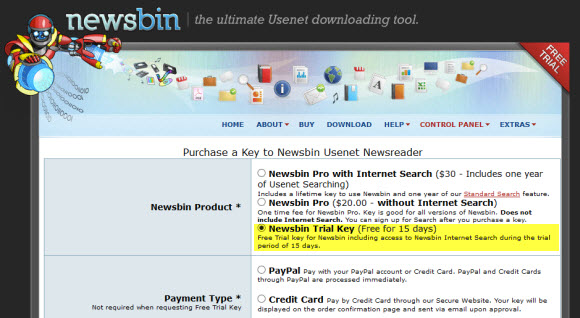
Newsbin Pro has been an NGR editor favorite for years now and they continue to innovate and make the popular Usenet client even better.  Newsbin offers an excellent user interface with support for compressed header downloads and NZB files.  Newsbin will even help you organize downloads.  The client costs $20 and includes free lifetime updates.  With an optional Usenet search feature.  New users can download a 10 day free trial.

SABnzbd Usenet Client : 2012 NGR Editors Choice Award

SABnzbd hardly needs an introduction for Usenet fans.  The free, open-source Usenet browser has been downloaded over 3.5 million times (Windows, Mac and Linux).  SABnzbd+ turns your web browser into a Usenet client.  It lacks features for those who want to download headers or enjoy text groups.  Yet for binary seekers SABnzbd is very cool.  Drop in an NZB file and SABnzbd will download, verify, repair and extract the contents.

NewsLeecher Usenet Client – 2012 NGR Editors Choice Award

NewsLeecher is another premium client that we’ve enjoyed using over the years.  Especially their SuperSearch feature which is great for easily finding Usenet content.  The user interface is clean and the client presents some nice advanced features.  With lots of bells and whistles to configure for enhancing your Usenet experience.  The client costs $19.99 a year or $29.99 a year for NewsLeecher + SuperSearch.

Binreader Usenet Client – 2012 NGR Editors Choice Award

We enjoy Binreader for a number of reasons.  First of all its free and available for Windows, Mac and Linux.  Secondly they offer a portable version that you can run from a thumb drive.  With Binreader you can search for content through Binsearch.info and let the client do the rest.  From downloading to PAR2 repair and RAR extraction.  You can download the latest version directly from the Binreader site free of charge.

We hope you’ve enjoyed our 2012 Editor’s Choice Awards for the best Usenet clients.  Please help us recognize and congratulate the winners for their efforts.  You might also want to check out our Editor’s Choice Awards for “Best Usenet Providers“, “Best Usenet Deals” and “Best Free Usenet Trials” as each is updated frequently.

NBRemote : Newsbin Pro Remote Control

December 5, 2011 update: after using NBRemote from time to time over the last couple weeks we enjoy the app even more. You should definitely check it out and let us know what you think.

Earlier this year we started using Splashtop to remotely access Newsbin Pro.  Which was ok but Splashtop is a remote desktop app for iOS.  So it wasn’t integrated with the Newsbin client features in an iPhone / iPad rich interface.  Today that all changed as Newsbin released their own remote control client.  NBRemote let’s you control Newsbin from your iOS device.  It’s available in the App Store for iPhone, iPad or iPod Touch for $2.99.

NBRemote First Impressions

In a moment we’ll dive into the installation, configuration and features of NBRemote.  Before we do though I’d like to share some thoughts on the new app.  As I know some won’t want to read this whole post to decide whether or not to spend the $2.99 for the app.  In short if you use Newsbin Pro and have an iPhone or iPad we highly recommend you download NBRemote.  Definitely a solid effort and well worth supporting.  So read on to learn more about NBRemote and then download your copy and enjoy controlling Newsbin remotely.

NBRemote Prerequisites

In order to use NBRemote you will need a registered copy of Newsbin version 6.11 or later.  So if you’re currently on the free trial version you’ll want to go ahead and purchase a license.  The cost has been lowered from $35 to $20 and that includes free upgrades for life.  You might also consider Newsbin Internet Search.

NBRemote Installation

As mention make sure you have Newsbin Pro version 6.11 or later.  We tested on the latest beta release which was Newsbin 6.20 RC2 Build 1500.  After you’ve got that taken care of hop on into the App Store from your iPhone or iPad and purchase NBRemote.  The app is only 3.1 MB so it doesn’t take long to download.

Newsbin Configuration

Before launching NBRemote you’ll want to configure some related settings in Newsbin.  To do so fire up Newsbin and go to Options – Options – Remote Control.  Which will bring up the following screen:

Check the box to ‘Enable Remote Control‘ and set a password.  You can make the password anything you want.  It will be used to connect from NBRemote.  You can change the port or leave it as 118.  Note: if you change it make sure to set the port number in NBRemote to match.  Now you’re ready to launch NBRemote.

NBRemote Configuration

The first time you launch NBRemote you’ll need to go in and setup a connection to your system.  Using this guide will make it a breeze.  We’ll walk you through it here as well.  To get started you’ll want to know the IP address of your host computer.  To find out you can drop to a command prompt (cmd) and run ipconfig.   Here’s a helpful video if you have any trouble finding your IP address.  You will also need your Newsbin serial number.  From inside Newsbin click on HelpAbout Newsbin Pro to obtain your registration code.

The first time you launch NBRemote you’ll need to add the connection back to your computer to access Newsbin remotely.  To do so go to Settings and then Add Newsbin computer:

Fill in the Computer settings screen as follows:
  • Description:  Any name you want for the connection.
  • Server address:  The IP address or your computer.
  • Server port:  Only change if you chose a port other than 118
  • Serial number:  Enter your Newsbin Pro registration code
  • Password:  Enter the password you chose a moment ago in Newsbin Pro.

When your finished hit the Test connection button.  If all goes well you’ll see ‘Connected Successfully’ after a few seconds.  In my case I got another message the first time around.  An error stating ‘Authentication required’.  As usual I had fat fingered some information.  In this case the serial number.  A quick fix followed by ‘Connected successfully’.  The other common error you might see is ‘The connection timeout has expired’.  In that case confirm the IP address is entered correctly.  Otherwise you’re ready to use NBRemote.

Launching NBRemote : Connecting to Newsbin

The first thing you want to do after opening NBRemote each time is connect to your Newsbin remotely.  To do so tap on Computers and then the name you gave to your system.  Note that you can set up NBRemote to remotely control more than one computer.  Once connected we went right to the Search area.

NBRemote Search Functionality

I expected that NBRemote would support the Newsbin Internet Search feature and it does quite well.  However, I was surprised by the other Usenet search options including Binsearch, NZBMatrix and Nzbs.org.  I tested both the Newsbin search and Binsearch.  Here are some screenshots:

I searched for ‘Ubuntu’ using Newsbin internet search and Binsearch.  Because let’s face it.  You can never have too many Ubuntu distros.  We played a little with the filter options for the Newsbin search and then tested out Binsearch which is one of our other favorite Usenet search engines.  Next it was time to download.

Downloading with NBRemote

I chose a Ubuntu distro from Binsearch and created the NZB file.  Then downloaded it to my PC remotely from NBRemote.  Later I downloaded a picture of a train directly to the iPhone and opened it.  In the files area you can view local files (on your device) or Newsbin files (on your computer).  There is also an optional setting to integrate NBRemote with your Dropbox account.

Browsing Newsgroups with NBRemote

Along with searching for Usenet content by topic the NBRemote also lets you browse through newsgroups.  As you would from inside Newsbin.  Simply tap on ‘Groups’ from the NBRemote home screen.  We chose the alt.binaries.pictures.railroad group to test and found a number of results after tweaking the filter options.

By default the NBRemote filter is enabled and set to only show posts between 0 and 1 day old.  We noticed the same when testing hte Newsbin internet search feature.  Since that didn’t net many results from the train group we extended the filter out to it’s max number of days which is 720 days.  Then we got nearly 3,000 results.

In the future I look forward to diving deeper into NBRemote.  Some of the other features include Dropbox integration and an option to add any search site you like.  Basically you add the name and URL to the search menu and use the engine of your preference.  You can tell a lot of planning went into the app.  Especially at such an early stage.  Definitely a fun project to track and an app we will use.

Hopefully you’ve enjoyed my review / guide / ramblings about NBRemote.  It really is a cool app to remotely control Newsbin.  I hope you’ll try it out and let us know what you think.  As always you can visit Newsgroup Reviews to learn more about Usenet and follow us @NewsgroupRevs to share your thoughts.

Newsbin Pro 6.1 Released + Newsbin Remote Control

Newsbin Pro has released a new version of their popular newsgroup reader.  Newsbin Pro 6.1 is available to download directly from the Newsbin.com site.  Those who would like to test out the newsreader can download a 10 day free trial.  Version 6.1 of Newsbin Pro Usenet client includes better RAR processing and some cosmetic changes.  Newsbin has also released a remote control interface and is working on some more cool apps.

Here is a list of new features in Newsbin Pro 6.1:

  • Bug fixes
  • Changed icons to expanded compacted posts from arrows to more common + and - signs.
  • Hooked up retries for failed header downloads.
  • Hooked up speed and time remaining display when you dwell over the taskbar icon.
  • Load drop down in the post list tab goes back 4 years now.
  • Now only displays the MOTD if there is something new. Unregistered shows the MOTD all the time.
  • Hooked up the Ctrl-G shortcut to perform a header update.
  • New TCP commands for the Remote Control interface: Interface Spec | Remote Control Forum

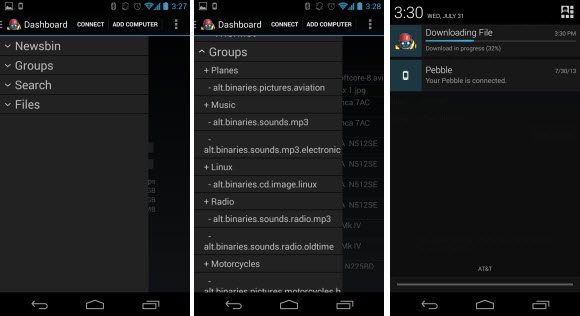
We’re excited to see Newsbin Remote Control in action.  The Newsbin team is currently beta testing an iPhone / iPad app and they are developing an Android app as well.  You can learn more about the project by visiting their SourceForge page or the Newsbin forum.

Visit Newsgroup Reviews to learn more about Usenet.  Follow us @NewsgroupRevs for the latest news.

Newsbin Pro iPhone / iPad / Android Client

We recently tested a really cool app that let’s you remote desktop into your computer from iOS (iPhone, iPad, iPod Touch) and Android devices.  It is called Splashtop.  We’ve tried other remote iPad apps in the past but they were either too slow or the graphics weren’t up to par.  That’s not the case with Splashtop.  We were able to easily connect and access Newsbin Pro 6 from an original iPad.  Here’s a look at Newsbin on the iPad.

The screenshot doesn’t quite give justice to the Splashtop app.  As Newsbin Pro looks great on the iPad’s 9.7 inch LED display.  What you see above is the image taken directly from our iPad during testing.  The remote touchpad controls take a little getting use to but we were able to remotely connect, search and download Usenet content using Newsbin through the Splashtop app.

We bought the Splastop app from the iTunes store for $1.99.  It looked like they had a free version as well.  Not sure of the limitations for the free app but the $1.99 price is well worth it to get the premium Splashtop remote desktop client.  Here are some specs for those comparing Splashtop to other apps.

Splashtop information:

  • Remote desktop app for iPad, iPhone, iPod Touch, Android and Palm Pre
  • Splashtop supports 30 FPS (frames per second)
  • Latency is around 174 ms.  Which is about .2 seconds.
  • Splashtop for iPad: $1.99 – iTunes product page
  • Splashtop for iPhone / iPod Touch: $0.99 – iTunes product page
  • Splashtop for Android devices: $2.99 – Android product page
  • Spashtop HD for Android devices: $6.99 – Android product page
  • Splashdot remote desktop for Palm Pre: $4.99 – Palm product page

Those new to Newsbin Pro can download a 10 day free trial.  The Newsbin team recently released version 6.0 of the popular Usenet client.  If you haven’t had a chance to upgrade or try the v6 newsreader definitely give it a try.  You’ll be impressed with the new user interface.  Prices have changed as well.  With the client being sold for $20 (including free lifetime updates).  Those interested in the Newsbin Internet (Usenet) search can purchase a year of access along with the newsreader for a total of $30.  A great value for the combo.

$30 Newsbin Pro with 1 Year of Internet Search

Earlier this week Newsbin released the latest version of their popular newsreader.  Newsbin Pro version 6 was released on July 4th.  Along with the new version came new pricing.  The Newsbin client itself costs $20 and includes lifetime updates.  Newsbin is also offering a second option that we really like.  Those interested in the Newsbin Internet (Usenet) search feature can purchase the reader plus a year of search for just $30.  Quite a value considering the search feature is normally $2.50 to $5 a month.

Newsbin Pro 6.0 is a great newsreader.  Those who have used Newsbin in the past can attest to its quality.  The latest release builds on that with a fresh new interface and lots of cool features that make downloading from Usenet more enjoyable.  If you haven’t had the chance to try Newsbin 6 then download a free 10 day trial.  Make sure to test out both the reader and the Internet search feature.

Newsbin Pro 6 Released : 10 Day Free Trial Download

What better way to celebrate July 4th than to download the latest version of Newsbin Pro newsreader.  Earlier today Newsbin released version 6.  Newsbin customers can download the latest version for free.  Those who haven’t tried the newsreader can download a 10 day free trial.  Version 6 of Newsbin Pro Usenet client includes a number of new features and enhancements.  We especially like the new Mac style user interface.

Here is a list of new features in Newsbin Pro 6:

  • Total re-design of the User Interface.
    • Menu Bar is dockable, can move it wherever you like
    • All tabs are now movable and dockable, can make them standalone or group them with other tabs within Newsbin.
    • Status Bar now has components you can interact with. Right-click lets you customize it
    • GUI themes now available under View/Application Look
    • Download tab now displays as a Compact View.
    • AutoPAR tab is gone, function now is performed in the Download tab. Has color coded progress:
      • Blue = Download
      • Green = UnRAR
      • Yellow = Repair
    • Can create custom key mappings for many commands under View/Customize menu.
    • Groups tab has a small toolbar containing allowing access to common functions like update and load.
  • Download state of a post is now remembered whether downloading from headers, loading an NZB, or from Internet Search.
  • Now has a tree view for headers. Each compacted line can be expanded to see the posts comprising each set.
  • Vast improvement in handling headers. All of boneless can now be loaded if you really want to.
  • New caching mechanism that helps achieve smoother processing and higher download speeds. Clocked at almost 1gbps to a local server.
  • New image rendering library in use that renders more image types than before.
  • Can perform a Local Search for subjects or on posters now by selecting “From” on Search tab. (Not hooked up for Internet Search… yet).
  • Right-click in the download list on a file with PAR files and select Properties to get a QuickPAR like window.
  • Post list now has a Load Older and Load Newer function to easily browse a group or Group of Groups without loading all headers.
  • If a password protected RAR set is encountered, Newsbin can either fail the file or prompt for a password.
  • “Next” button for Internet Search to retrieve next set of matches beyond the initial 2000 match limit.

Those who are currently running an older version of Newsbin will want to read these upgrade notes:

Version 6 has a new storage format for headers. You have to manually invoke the conversion if you want to bring your 5.5x headers into V6. A new spool folder, SPOOL_V6 will be created for storing headers in the Newsbin Data Folder. To invoke the conversion, select a group or a bunch of groups in the Groups tab, right-click and select Post Storage, then choose “Import Version 5.XX Headers”. A progress screen will pop up and you’ll have to wait for it to finish before continuing. Once you are happy with the conversion, you can remove your old SPOOL_V1 folder to save space. If you don’t know where your data folder is, go under Options/Setup and click the “Open Data Folder” button.

Cheers to the Newsbin team who have delivered an awesome newsreader.  We look forward to bringing you more coverage of Newsbin Pro 6 in the weeks ahead.  For now it’s time to get back to the festivities.  Happy 4th!

Last Chance to Purchase Newsbin Pro for $15

If you’ve been considering a purchase of Newsbin Pro this weekend is the time to do it.  Before the price increases with the release of version 6.  Currently the price of a new Newsbin license is $15 and includes all future releases.  On Monday, July 4th Newsbin is set to release version 6.0 and will be increasing the price to $20.  Still a great value considering the price was $35 for years.  So if you’d like to purchase a copy of Newsbin for the lowest price possible then grab a license this weekend for $15.


Want to download Newsbin version 6.0 before Monday?  Visit the Newsbin beta page and download the latest version which is the final.  Newsbin 6 includes a completely new UI and lots of great features.  We highly recommend you purchase a license and enjoy the newsreader.  Also check out their Internet (Usenet) search feature which is optional but adds a lot of convenience.  The search feature starts at $2.50 a month.

Read more about the Newsbin 6 user interface in our previous blog post or purchase a copy this weekend for $15 and enjoy all future upgrades for free.  Stay tuned to the blog Monday for more information on the official release of Newsbin Pro 6.

Newsbin Pro 6.0 Release Candidates

We’re very excited to see the latest edition of Newsbin make it to the release candidate phase this month.  With Newsbin Pro 6.0 RC 1 released on June 3rd followed by RC 2 on June 9th and RC 3 on June 17th.  Great news for those of us waiting for the new version to go final.  Cheers to the Newsbin team on their continued efforts with version 6.0.  Remember if you are already a customer or purchase a Newsbin license for $15 the version 6 upgrade (and all future updates) are free.  New users can download a 10 day free trial.

Newsbin customers can download the latest release candidate directly from the Newsbin site.  Here is a list of changes in each RC version.  For more details visit the Newsbin beta page.

Version 6.00 Release Candidate 3 Build 998, June 17, 2011

  • Hooked up shortcuts for Hide Old and Show Filenames.
  • Hooked up sort on the Status column.
  • Filter Profiles in the dropdown box are now sorted, except “None” is at the top.
  • Disabled “Show Files/Show New” in the Search tab for now because there are no controls yet.
  • Made change in how Newsbin handles header range storage. Now will reject attempts to set a negative number of a maximum article number that’s less than the minimum previously saved. Could possibly happen if a server is having problems.
  • Fixed issue with Max Size filter not getting passed up to Internet Search
  • Fixed issue where Newsbin would not remember its screen position correctly if your windows taskbar is configured to be on the left side of the screen. Also was an issue with some dual monitor setups.
  • Fixed issue where Newsbin would not bring focus back properly if you alt-tab away and then back.
  • Fixed issue where Filter Bar was applied even when disabled
  • Fixed issue where “Show Filenames” was being set when it wasn’t set previously
  • Fixed partial file downloads not completely restoring on restart.
  • Fixed posting issue, yEnc CRC’s weren’t being applied
  • Fixed issue where loading NZB Files into a post list was disabling filters.
  • Fixed issue with QuickPAR’d Master Splitter (QPMS) files weren’t getting deleted after repair and processing
  • Fixed issue with the compaction database.

Version 6.00 Release Candidate 2 Build 976, June 9, 2011

  • Fixed issue with bandwidth limiter taking 100% CPU
  • Fixed issue with master splitter files getting deleted on failed decode
  • Changed unrar to write bigger chunks to disk at a time. Will result in fewer writes to disk overall.
  • Fixed issue with posting function generating bad yEnc CRC’s introduced in B15
  • Added capability to turn off the task bar progress indication. It is a setting in the .nbi file. Set ShowTaskProgress=0 in the [Settings] section to turn it off. Default is on.

Version 6.00 Release Candidate 1 Build 965, June 3, 2011

  • Added support for .xtm files that have a different naming convention for splitting files
  • Fixed MasterSplitter file assembly when files are damaged.
  • Fixed issue entering the Server Options screen from the Servers tab. Was not applying focus on the selected server.
  • Create NZB from expanded lists is now faster, uses less RAM, and no longer has the problem of double-adding posts.
  • Group options dialog now lets you remove a filter profiole from a group of Group of Groups folder. If a profile isn’t defined or no longer exists, it now shows as “none”.
  • Made changes to the Post List colors to better match the icons.
  • “Mark Old” now happens when files are added to the download list, not after download.
  • Fixed problem with the popup error dialog.
  • Hooked up server download counters in the Server Options screen. It counts all download traffic from the server, not just file downloads.
  • Now leaves the task bar icon visable even when Newsbin is restored.
  • Single tab mode wasn’t accurately displaying the filters.
  • Fixed issue with downloads failing when downloading 2 part files and the memory cache is disabled.
  • Signature cache hits (duplicate detection) or any error that sends the file to the failed list is now noted. The message is persistent across restarts.
  • Error list items now show error icons in the corresponding post list.

Download a free 10 day trial of Newsbin Pro to test out the client.  We think you’ll be impressed.  Newsbin recently discounted the price of a license from $35 down to $15 making Newsbin an even better value.  They also offer an optional Usenet search feature for an additional cost.  All Newsbin purchases include free lifetime upgrades.  We look forward to the Newsbin 6.0 final release in the weeks to come!

Newsbin Pro Website Gets a Fresh New Design

Newsbin.com recently got a fresh new site design to go with their other big news – Newsbin Pro newsreader now costs $15 (previously $35) and includes free lifetime updates (download free trial).  The new design looks good and does a fine job of presenting the advantages of Newsbin Pro.  With the homepage presenting both the newsreader and Newsbin Internet (Usenet) Search service which is available starting at $2.50 a month.

At $15 Newsbin Pro is easily one of the best (if not the best) newsreader on the market.  Other popular newsreaders including Newsleecher, SABnzbd and GrabIt all have their own qualities but Newsbin Pro is a staple.  Offering a quality Usenet client at a great price.  Along with an optional Usenet search service built into the newsreader.  If you’d like to try Newsbin Pro for free they offer a 10 day free trial download.  We also covered the Newbin 6.0 beta user interface recently if you want to read about what’s to come.  Purchasing Newsbin for $15 also gets you access to all future betas along with full releases.

Newsbin Pro 55% Price Cut – $15 Newsbin Newsreader

Earlier today Newsbin Pro announced new pricing.  Lowering the price of the popular Newsbin Pro Usenet client from $35 down to $15.  Newsbin customers enjoy the latest version of Newsbin newsreader along with free upgrades for life.  We’ve been fans of Newsbin for years and especially enjoy the work they’re doing with the Newsbin Pro 6 beta releases.  Along with the recent upgrade to the Newsbin Internet (Usenet) search engine.

We’ve enjoyed using Newsbin Pro over the years.  The price cut only enforces our confidence in the continued success of the reader.  With the $15 price tag offering Usenet enthusiasts quite a value on an outstanding Usenet browser.  You won’t need any discount / coupon codes for the new $15 pricing.  Simply visit Newsbin.com and purchase a copy of Newsbin Pro.  In addition to the client you also have the option of adding the Newsbin Internet Search for $2.50-$5.00 a month depending on you’re desired usage.

Read our Newsbin Pro review or visit www.newsbin.com to learn more about the Usenet client.  Remember the new $15 price is over 50% off the previous $35 mark.  With free upgrades for life and optional Newsbin Internet Search feature which now supports 1,000+ days of binary retention.