NewsgroupDirect April Terabyte Tuesday

It’s that time of month again.  Time to celebarte the NewsgroupDirect Terabyte Tuesday promotion.  For a day or two each month NGD has been offering deep discounts on a terabyte of block Usenet access.  This time around they’re offering a terabyte of non-expiring Usenet for $35.  That works out to less than four cents a gig!  Make sure to sign up before 12 AM EST on April 17th to take advantage of the Terabyte Tuesday promotion.
NewsgroupDirect block accounts are perfect for infrequent Usenet use and as a backup or fill account.  With a full terabyte the usefulness is extended to a lot of users.  At 3.5 cents a gig the price is a steal.  The block is also non-expiring so you can use it until the gigs are depleted.  NGD block customers enjoy high retention along with 50 SSL connections.  Sign up before 12 AM EST on April 17th via the NGD Terabyte Tuesday page and enjoy!

The Terabyte Tuesday promotion is also open to existing members.  If you already have a NewsgroupDirect account then you’ll want to log into their website and click on add block.  From there you can add a 1 TB block for the $35 discounted price instead of the $100 regular price.  We’d also like to mention that NGD block accounts are shareable.  Since you are buying a block of Usenet access they don’t mind you sharing the account.

Visit Newsgroup Reviews to learn more about Usenet.  Follow us @NewsgroupRevs for the latest specials.
Giganews Recommends Password Change

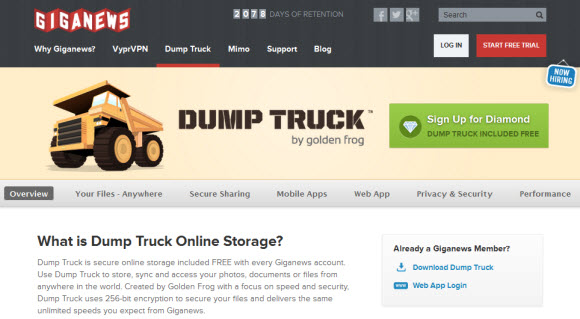
Usenet fans should feel good about their providers as we haven’t heard of any being vulnerable to Heartbleed.  As least for their own websites and NNTP services.  Giganews Dump Truck online storage service was patched on April 8th.  The Golden Frog team took quick action to patch their SSL libraries to protect against the bug.  They also recommend that members change passwords.  That applies to all Giganews customers.

Giganews Dump Truck

Here’s Giganews response to Heartbleed as posted on their blog:

How Does Heartbleed Affect Giganews Customers?

With the recent announcement of the Heartbleed Bug, many customers have asked if Giganews’ services were affected and whether customers need to take any action. Rest assured all Giganews services are currently safe from the Heartbleed Bug. VyprVPN and the Giganews website have not ever used SSL libraries vulnerable to the TLS heartbeat exploit. Golden Frog patched Dump Truck’s SSL libraries on April 8, 2014, and new SSL keys for the service were generated and deployed successfully. However, due to the nature of the bug, we still recommend all customers change their password, especially if you have used Dump Truck. Change your password »

Are Giganews Customers using VyprVPN Apps Safe from the Heartbleed Bug?

Golden Frog’s apps use OpenSSL 1.0.1e, which is vulnerable to the Heartbleed Bug, for OpenVPN connections. However, even though the apps use a vulnerable version of OpenSSL, customer information is not at risk. To be compromised, the apps would need to connect to servers that send malicious heartbeat packets. VyprVPN apps only connect to VyprVPN servers, which do not send malicious packets. Even if the VyprVPN apps were somehow tricked into establishing a connection with a malicious server, the apps do not possess any information they are not already sending to the server. There is nothing a malicious server could gather from the client that it wouldn’t receive anyway.

Golden Frog will be preparing updated versions of the apps that use non-vulnerable versions of OpenSSL, but at this time, Giganews customers are not at risk using the existing versions of the apps.

What is the Heartbleed Bug?

The Heartbleed Bug is a bug in OpenSSL’s implementation of the TLS heartbeat extension. When exploited, it allows an attacker access to the contents of the SSL server and client memory. This memory may include the SSL keys, the content of the data traversing the connection, and usernames and passwords transmitted or stored within the memory of the client and server. Because of the complete compromise of the SSL session and secret key data necessary to keep communications secure, this is considered an extremely critical bug. A full overview can be found at http://heartbleed.com/

What Action Do I Need to Take?

If you have used Dump Truck we highly recommend you change your password. To change your password visit this page: https://www.giganews.com/controlpanel/userpass.html

  • Log in to your Control Panel
  • Click Change Username / Password
  • Type your new password
  • Click the Change Username / Password button

At Giganews we take your privacy and security seriously. If you have any further questions please don’t hesitate to contact our 24x7x365 support team via email or live chat.

We’ll keep you up to date if we hear of any other related vulnerabilities.  If you use a VPN provider we also have a VPN Heartbleed list tracking the responses from a number of leading online privacy services.

NZB 360 Now Supports NzbDrone

This post is specifically for Android users who prefer NzbDrone over Sick Beard.  If you fall into that category then you’ll be happy to hear that the latest release of NZB 360 v8 supports NzbDrone.  The app is no longer available through the Google Store but you can learn more about it at nzb360.com.  The developer is now distributing the app through the nzb360 site.  He offers both a free and Pro version of the popular Usenet app.

NZB 360 supports NzbDrone

The latest version 8 release of NZB 360 added support for NzbDrone.  Making it the first mobile app to support the service.  It also supports other popular Usenet clients and services including SABnzbd, NZBget, Sick Beard, Newznab, CouchPotato, HeadPhones and now NzbDrone.  The user interface is really nice.

How do you get the app?  First you download the free version from nzb360.com.  From there you can upgrade to the Pro version from inside the app using PayPal or credit card (Visa, MasterCard, American Express, Discover).  Purchasing the app will grant you a full license to that includes future upgrades.

Those who previously purchased the app in Google Play are out of luck.  You will have to buy it again to enjoy the premium features.  I know this is a raw spot for some and understand the tension.  You can read more about it on Reddit.  My personal opinion is that the developer should figure a way to honor past customers licenses but the development of features like the addition of NzbDrone would have been delayed.

We’re glad to see NZB 360 available through it’s own distribution.  The developer is clearly dedicated to adding new features as shown by the latest v8 release supporting NzbDrone.  We look forward to the continued progression of the Android app.  We’ve heard from a few iOS users asking when the app would be ported over.  As of now we haven’t heard of any plans to do that.  You could always add an Android tablet.

For those new to Usenet you’ll still need a provider to use NZB 360.  We can help you find a good one with a full list of Usenet providers along with free trials and discount offers.  As for other automation tools we recommend SABnzbd, Sick Beard and CouchPotato.  The Newshosting client also provides some nice automation features.

Eweka 100 Mbit Usenet Special

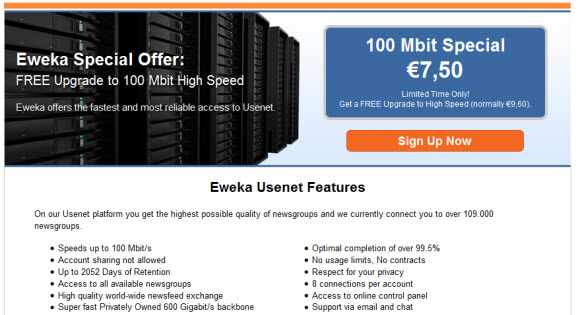
Have you been thinking about signing up for Eweka?  They are a leading provider of Usenet services in Europe.  Eweka specializes in really fast download speeds.  They offer plans ranging from 50 Mbit all the way up to 100 Mbit.  I wish I could max that out.  If you can then Eweka has a great deal for you.  They are offering a free upgrade to 100 Mbit service for anyone who signs up through the Eweka High-Speed Special page.

Eweka 100 Mbit Special

There are plenty of Usenet fans seeking a European provider.  Either for primary use or as a backup.  We would highly recommend Eweka for either purpose.  If your located in the United States then you’ll want to use a VPN or proxy to visit their site and sign up.  Once a member you can connect from anywhere in the world.

What should you expect from Eweka?

First and foremost you can expect fast, reliable Usenet access.  You’ll connect to their servers in the Netherlands and have full access to the service.  Without any download caps and with speeds up to 100 Mbps.  Eweka offers over 2,050 days of binary retention and growing.  Along with free SSL encryption.  The only thing you aren’t allowed to do is share the account which is typical for unlimited plans.

To take advantage of the offer simply visit the Eweka High-Speed Special page and sign up.  You can read our review to learn more about the service but the best way to test it out is to try Eweka for yourself.  I think you’ll be impressed by the quality of the service.  They are our favorite European provider.

April Fool’s Day Usenet Hoax : Kremvax Hoax

On April 1, 1984 Piet Beertema posted that the Soviet Union was going to join Usenet.  The post was to have come from Soviet leader Konstantin Chernenko.  The Kremlin Usenet site was to be named Kremvax.  Year’s later Vadim Antonov had a subdomain placed on the first legitimate Soviet Usenet site – kremvax.demos.su showing that the April Fools’ Day prank had a lasting impact.

Kremvax

Here is the original post in the eunet.politics newsgroup.  Archived in Google Groups.

Well, today, 840401, this is at last the Socialist Union of Soviet
Republics joining the Usenet network and saying hallo to everybody.

One reason for us to join this network has been to have a means of having an open discussion forum with the American and European people and making clear to them our strong efforts towards attaining peaceful coexistence between the people of the Soviet Union and those of the United States and Europe.

We have been informed that on this network many people have given strong anti-Russian opinions, but we believe they have been misguided by their leaders, especially the American administration, who is seeking for war and domination of the world.

By well informing those people from our side we hope to have a possibility
to make clear to them our intentions and ideas.

Some of those in the Western world, who believe in the truth of what we
say have made possible our entry on this network; to them we are very grateful. We hereby invite you to freely give your comments and opinions.

Here are the data for our backbone site:

Name: moskvax
Organization: Moscow Institute for International Affairs
Contact: K. Chernenko
Phone: +7 095 840401
Postal-Address: Moscow, Soviet Union
Electronic-Address: mcvax!moskvax!kremvax!chernenko
News: mcvax kremvax kgbvax
Mail: mcvax kremvax kgbvax

And now, let’s open a flask of Vodka and have a drink on our entry on
this network. So:

NA ZDAROVJE!


K. Chernenko, Moscow, USSR
…{decvax,philabs}!mcvax!moskvax!kremvax!chernenko

For more details on the post and reactions visit the author (Mr. Beertema’s) Kremvax hoax page.

Win an Xbox One from NewsgroupDirect

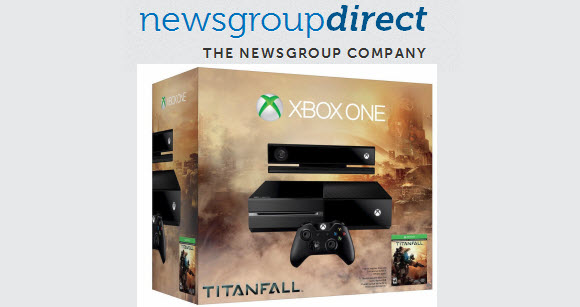
NewsgroupDirect is currently running a Spring Sale and is giving away an Xbox One as part of the promotion.  First for the sale.  They are offering 2 TB blocks for $60 and 500 GB blocks for $25 through April 7th.  The special pricing is currently available at newsgroupdirect.com.  All sign ups will be eligible to win the Xbox.  You can also send an email to enter the giveaway.  The $500 Titanfall bundle will go to one lucky winner.  Good luck!

NewsgroupDirect Xbox One Titanfall Giveaway

NewsgroupDirect’s Usenet blocks are non-expiring.  That means if you purchase a 500 GB block you can use the account until the full 500 GB is depleted.  Unlike unlimited plans that typically bill on a monthly or annual basis.  We rely on an unlimited account for most our newsgroup downloads and blocks as a backup and for fills.  With server farms in the United States and Europe, NGD offers excellent performance.

Here’s a quick summary of the Spring Sale prices compared to retail pricing:

  • 2 terabyte block – $60 (regularly $200)
  • 500 gigabyte block – $25 (regularly $50)

As you can see the promotion helps you save between $25 and $140 off the retail price of either NGD plan.  You’ll be very hard pressed to find a better deal on block Usenet access.

Now to the Xbox One Titanfall bundle giveaway.  If you sign up for NewsgroupDirect between now and April 7th you’ll be automatically entered to win.  Otherwise if you’d like to enter for your chance to win without making a purchase follow these steps.

Enter to win an Xbox One Titanfall bundle without purchase:

  • Prepare an email with your name, email address and mailing address
  • The subject line should read Giveaway Entry
  • Send the email to support@newsgroupdirect.com

Read our NGD review to learn more about their service or visit newsgroupdirect.com to sign up and save.

SABnzbd Releases Version 0.7.17

It’s been a few months since the last release of SABnzbd, one of our favorite newsreaders.  The web-based Usenet client is massively popular so I’m sure a lot of fans will be happy to see the new version released.  SABnzbd is well over 7 million downloads and counting.  If you’re new to SAB the reader is free and has a lot of useful add-ons.  You can grab version 0.7.17 from their download page or learn more at sabnzbd.org.

SABnzbd

SABnzbd is one of our favorite Usenet clients.  Along with the Newshosting client, Newsbin and NewsLeecher.  All of which do a great job at downloading from Usenet.  If your goal is text newsgroups we would suggest Newsbin.  SABnzbd focuses on binary files.  The open-source client runs as a web server on your system.  You can access it through your favorite web browser.  With versions available for Windows, Mac and Linux.

Since SABnzbd is open-source and has such a large following you will find a number of cool add-ons and services like CouchPotato, Sick Beard and SABMobile for iOS and Android devices.  Check out the SABnzbd forum to learn more about these add-ons and others available for the client.

Here’s a list of new features and bug fixes in the 0.7.17 release:

Features

  • Upgrade embedded unrar to 5.01 and (partially) support RAR5 format
  • Support for more meta-data in NZB files (to be used in TV Sort)
  • Optional integration with the OZnzb indexer, allows user access to ratings and reporting directly from SABnzbd interface.
  • Optional automatic feedback to OZnzb on failed downloads
  • Commandline option –pidfile to set your own PID-file name/path (Unix and OSX)
  • Basic support for X-DNZB-Failure and X-DNZB-Details headers, sent by some indexers
  • Support rate-limiting by (a number of) indexers
  • Special option “warn_dupl_jobs” to suppress/enable warnings for duplicate jobs
  • Special option “flat_unpack” to ignore folders inside archives

Bug fixes

  • Fix false encryption alarms for some posts
  • Fix issue with OSX Mavericks Notification Center support
  • Fix issues with passwords embedded in file names
  • Support UNC paths in Sort expressions (Windows)
  • Add password entry boxes in smpl and Classic skins
  • Prevent unwanted change of queue order after editing job details
  • Allow Default category to be picked in Multi-Ops

Who said Usenet isn’t popular?  SABnzbd continues to grow as they have now passed 7.1 million downloads.  Having so many popular sites and services integrated with the Usenet browser should only help the project continue to grow.  If you have any questions or need help getting started the SABnzbd team has some nice guides.  The forum is also a great place to ask questions and learn about all the custom add-ons.

Visit Newsgroup Reviews to learn more about Usenet.  Follow us @NewsgroupRevs for the latest news.

NewsgroupDirect March Terabyte Tuesday

NewsgroupDirect is running their popular Terabyte Tuesday promotion again today.  As the months go by the deals just keep coming from NGD  This time around they are offering 1 TB blocks for $35.  Today you can get a terabyte of non-expiring Usenet downloads for $35. That’s less than four cents a gig!  Make sure to sign up before 12 AM EST on March 20th to take advantage of the Terabyte Tuesday special.

NewsgroupDirect Usenet blocks are a great option for infrequent Usenet use and as a backup or fill account.  We’re especially fond of non-expiring block accounts like the ones offered by NGD.  Some other leading Usenet providers have them as well but not for $35 a TB.  That’s an excellent price considering it works our to less than four cents a gig.  NGD block customers enjoy over 2,040 days of binary retention along with 50 connections and free SSL encryption.  Sign up before 12 AM EST on March 20th via the NGD Terabyte Tuesday page and enjoy!

Visit Newsgroup Reviews to learn more about Usenet.  Follow us @NewsgroupRevs for the latest deals.

Web Usenet Takes a Leap Forward

Less than a year ago we reported on Easynews web retention growth.  At the time they had expanded the number of days users could search for content via web browser from 150-200 days up to 400 days.  That was quite impressive at the time.  Since then the Easynews team has been hard at work continuing to build out the service.  They recently announced that web retention is at 1,613 days and will continue to grow each day.

We enjoy sharing updates from Usenet providers and software developers on a regular basis.  A lot of times the changes are incremental or focus on a very specific feature.  Every now and then we get a game changer.  Something that will completely change the experience for users.  This is definitely one of those times.  Easynews just announced that for the first time ever they are increasing web retention on a daily basis.

Easynews web retention

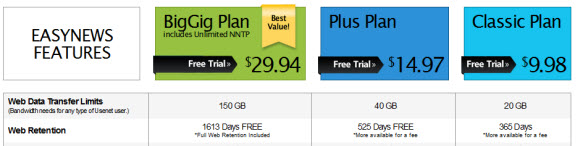
We have a lot to talk about in this post but I don’t want to leave you hanging on the most important news.  The increase in web-Usenet retention.  Just a year ago members had access to 150 days (Classic) or 200 days (Plus and BigGig) of binary files.  They have totally blown that away.  Now members have access to up to 1,613 days of web retention with additional growth each day.  For example tomorrow they will have 1,614 days and the next day it will be at 1,615.  That’s nearly four and a half years of web retention and growing.

Let’s take a closer look at the Easynews web-based Usenet plans:

Easynews Usenet plans

  • BigGig (1,613+ days web retention) – 150 GB a month + unlimited NNTP, rollover and 12 GB loyalty bonus
  • Plus Plan (525 days web retention) – 40 GB a month + rollover gigs and 2 GB loyalty bonus
  • Classic Plan (365 days web retention) – 20 GB a month + rollover gigs and 1 GB loyalty bonus
  • Plus and Classic plans can be upgraded to full web retention for just $2.99 a month

Need to go back more than 1,613 days to find content?  If so Easynews has you covered.  Members can use free Usenet clients like SABnzbd, Binreader or GrabIt along with premium newsreaders like Newsbin and Newsleecher to access 2,000 days of binary retention.  Usage is discounted 50% and taken off your monthly allotment of gigs.  They also offer an unlimited NNTP plan.  BigGig members receive unlimited NNTP for free.

We could go on and on about the features in Easynews web interface but it’s better to try it for yourself.  You can search, preview and download content from within your web browser.  It works with all the major web browsers.  There are also some cool iOS and Android apps available.  Our favorite is EZ Global Search.  We enjoy using it on both iPhone and iPad.  Android users can try out EZ Usenet and EasyBrowser apps.

As we mentioned earlier you can’t fully appreciate Easynews without trying the web interface for yourself.  Check out their upgraded retention and look over the plans and service features.  Once you’ve had a chance to get familiar with the specifics you can test drive the service for free.  Sign up for their 14 day free trial and test out the web interface.  You will automatically have access to up to 1,613+ days of web retention.

Download NZB 360 Outside of Google Play

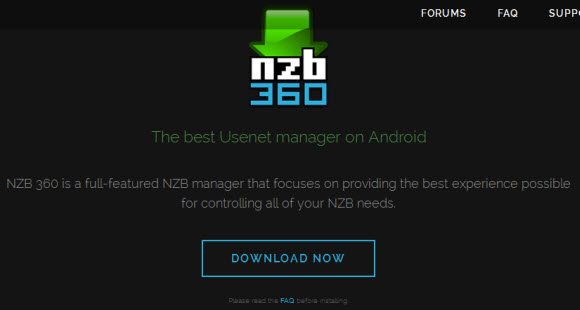
Last month we shared that NZB 360 had been removed from Google Play.  Since then the developer has been hard at work figuring out the best way to distribute the popular Android Usenet app.  Not having Google Play for distribution and losing a lot of good reviews was a hit for the project.  Luckily he was able to work on another solution.  You can visit nzb360.com to download the app.  Try it for free or purchase the NZB 360 Pro version.

NZB360.com

The new NZB 360 site offers a FAQ section with details on how the app will be distributed.  It includes information on how you can purchase the Pro version.  Unfortunately those who already bought the app on Google Play will have to pay for the Pro version.  I’m sure that will turn away some users but hopefully most get enough value out of the app to consider buying it again to support the project.  Regular updates are included.

Here are the answers provided in the NZB 360 FAQ page:

General

Q: Why isn’t NZB 360 in the Play Store?
NZB 360 was removed from the Play Store by Google for unknown reasons. Even after multiple attempts to find out why, Google has not responded. Therefore, NZB 360 is now managed outside of the Play Store. More info can be found here: http://www.reddit.com/r/usenet/comments … lay_store/

Q: How will I find updates to NZB 360?
The app will continuously be updated on a near-weekly basis with new features, enhancements, UI updates, and bug fixes, many of which are requested by the community. NZB 360 will auto-check to see if there are updates, and will also auto-install them when needed.

Q: Why do I need to enable Android to install apps from Unknown Sources for NZB 360?
Any app that is not installed through Google Play with trigger this warning. You can disable this once NZB 360 is installed, although you will have to re-enable this every time NZB 360 is updated. It doesn’t hurt to leave it enabled, just make sure to always know what you’re installing.

Q: Can you explain why you need [X] Permission?
Sure, no problem!

  • Modify/Delete USB Storage: The /sdcard partition is used to store image caches and your backups created within NZB 360.
  • Find accounts on device: This is used to get your Google Account ID (gmail address) used for licensing purposes. I tie your PRO license to your Google Account ID so you can use PRO on unlimited number of Android devices without having to repay.
  • Internet, View Wifi connections: The internet permission is pretty standard. I need to check Wifi connections to see which SSID you’re on so NZB 360 can switch to your specified “local” address.
  • Prevent Phone from Sleeping: SABnzbd and NZBget have an option to “Keep Screen On” in those views.
  • Test access to protected storage: Simply a check to make sure you have storage space for the cached images/backups.

Payment / Licensing for NZB 360 PRO

Q: If I already had the Play Store version, do I have to pay again to enable PRO?
This is something I have struggled with since the pull from Google Play. Since apps outside of Google Play cannot use many of the GP services, I cannot tie your old licenses from GP into this custom distribution system. I experimented with using your order number from your GP receipt, but found the integration of a system like this would require a large amount of effort and resources, and I ultimately decided to focus my time on bringing new features and enhancements to make NZB 360 better. I understand this isn’t ideal, and I sincerely apologize for this.

Q: If I upgrade from the Play Store version, what happens to all of my settings and indexers?
The new version will auto-import all of your old settings and indexers with no work from you, even your shortcut on your Launcher (if you have one). Though, I would use the built-in backup feature just in case. The new version ultimately replaces the old.

Q: What payment options do you have for PRO?
You can pay via PayPal or Credit Card (VISA, MasterCard, Amex, Discover) directly within the application.

Q: Is it safe to submit payment in an app that is distributed outside of Google Play?
Absolutely. I have implemented the official PayPal SDK into NZB 360. All input, data, and transactions are handled by PayPal. I simply receive a “SUCCESS” or “FAILURE” event through PayPal. None of your personal/financial information flows through NZB 360 at any time.

Q: How does the licensing work?
Once NZB 360 is notified of a successful payment, it retrieves your Google Account ID (gmail address) stored on your device, hashes it (for security), and then sends the hash + payment confirmation to NZB 360’s licensing database. The information is also cached on your device(s), and won’t re-ping the licensing servers much.

Q: Does it work with multiple Android devices?
Absolutely. Since your Google Account is your “key,” as long as your Google Account is signed in on your devices, it will auto-unlock NZB 360 PRO. You can install NZB 360 on an unlimited number of devices, and PRO will unlock for each device with your Google Account.

Q: What if I delete NZB 360?
No worries. Since the license is stored in the cloud (like Google Play), you can delete NZB 360, change ROMS, devices, kernels, etc without worrying about your PRO license.

Q: Does it expire?
No! The community made it very clear that subscription models are no fun. Your NZB 360 PRO license will never expire. It’s yours, for life.

To celebrate the return of NZB 360 the Pro version is being offered for 50% off this week.  Hopefully the new means of distributing the app will allow it to grow well into the future.  For those new to Usenet you’ll still need a provider to use NZB 360.  We can help you find a good one with a full list of Usenet providers along with free trials and discount offers.  As for other automation tools we recommend SABnzbd, Sick Beard and CouchPotato.