Archives for February 2014

SickBeard Build 503 Released

SickBeard recently pushed a new release of their popular PVR application.  The 503 build includes a number of updates and fixes.  We’ll list them for you in a moment.  Whether your currently running SickBeard or want to give it a try you can grab the latest version 503 free for both Windows and Python.  Both sites include a nice summary of features.  You’ll find SickBeard to be a very nice PVR app.  It integrates and works quite well with SABnzbd.
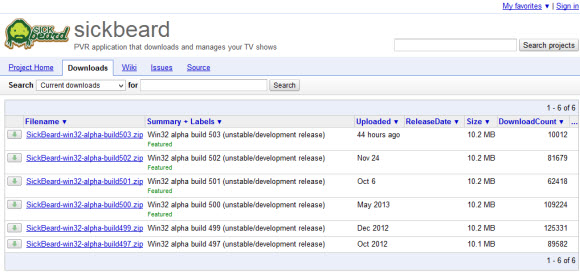
SickBeard build 503

Here’s a list of changes for build 503 taken directly from their GitHub page:

build 503 (2014-02-??)

  • Metadata: ALL — Cleanup and standardize providers. Pull #786 #789
    • Add banner, season banner season all poster and season all banner options.
    • Remove use_banner poster override since now we have a banner option.

    This now means users can have both a poster and banner instead of one or the other (XBMC12+).

    • Migrate legacy XBMC poster + use_banner setup to just banner option (keeps old functionality).

    Notice that on XBMC the banner and poster result in the same name, if you have both checked off it will just create folder.jpg with a poster since we don’t overwrite existing metadata.

    • Metadata: XBMC — Strip leading/trailing spaces off Actor’s names.
    • Metadata: TIVO — Generate rating off the episode not show data, convert 10 star rating to 4 star (ensure we end up with whole or half integers only).
    • Metadata: MediaBrowser — Re-order and cleaned up the .xml generation to match what MB3 itself produces.
    • Removed Synology metadata since it does not appear to be actually used by Synology units.
  • Tweak RawHD/SDTV (webdl/webrip) and change default defer site. Pull #782
    • Add additional RawHD format support that would allow (very specifically) for: Sherlock.S03E01.1080i.HDTV.H.264.DD2.0-CtrlHD
    • Split webdl/webrip from the normal SDTV regex test, to allow more flexibility since it usually contains audio related tags/h264 (ex: Chosen.S02E01.WEB-DL.AAC2.0.H.264-2T).
    • Fix HR.WS.PDTV.x264 from getting wrongly detected as SDTV.
    • Due to derefer.me request, switched new installs to another defer site, dereferer.org.
  • XBMC12+ Metadata support (initial support)

    Note that with the current settings you generate banner OR poster, not both at this time.

    Plans to support season##-banner.jpg / season-all-poster.jpg and having both banner+poster.jpg will happen in a future update.

  • Redirect fixes so that pages load with trailing / to reduce unneeded redirects. Pull #787
  • Update tvdb_api lib to 1.9 (for future support of dvd ordering). Pull #743
  • Add setting catIDs to NewzNab providers (ini only). Pull #771
  • Update FreeBSD init script. Pull #772
  • Update pnotify js, limit to a max of 5 onscreen notifications at a time. Pull #776
  • Fix UI setting of custom NewzNab sites that really do NOT require authentication (use 0 as apikey).
  • Tweak the Error Log Viewer page to show the 500 (instead of 30) most recent errors.
  • Tweak the extra_scripts execution to support unicode and fix the handle is invalid error.
  • Fix saving extra_scripts on config/hidden from creating empty list.
  • Quote search provider names to resolve issues if the name started with a number causing error unrecognized token.
  • Fix double encode UnicodeDecodeError errors when writing to the logger.
  • Fix UnicodeEncodeError exception in name_parser.
  • Trim trailing spaces when comparing ignore_words to resolve badly entered config.ini modifications.
  • Added version checking to the config migrator, follows how we handle our database checking to protect from trying to process ini that has been modified by forks/branches.
  • TVRage related fixes that deal with converting airdate to use locale abbrevations to resolve the error Unable to figure out the time from the TVRage data
  • Fix DeprecationWarning: BaseException.message on related database error messages.

Cheers to the SickBeard developers for continuing to put out timely releases.  Remember to let them know if you find any bugs along the way.  They have an issues page where you can detail the error and submit a traceback log for review.  If you enjoy using SickBeard please consider donating to the project.  You can do so either through the application itself or by visiting their web site.  Donations are handled through PayPal.

Easynews Web Usenet Promotion

Valentine’s Day might be over but Easynews is still spreading the love.  The Easynews team is offering a special discount on their web Usenet service.  Through the end of February you can sign up for their Classic ($9.98) or Plus ($14.97) plan and upgrade to full web retention (1,600 days) for just $1.99.  That’s well over 1,000 days of extra web retention.  Visit Easynews and sign up for a 14 day free trial with the full retention.

Easynews web retention deal

The Easynews web interface is by far the best around.  Browse over 1,600 days of binary retention through your web browser.  With the ability to search for content, view images, preview and stream.  All without any software.  Then if you want to go beyond 1,600 days you can fire up your favorite newsreader and browse up to 2,000 days of retention. Easynews discounts NNTP downloads by 50% so you can grab twice as much content.

Confused by web vs. NNTP retention?  If so here’s a quick explanation:

  • The web interface and web retention are unique to Easynews.  A great choice for those new to Usenet who don’t want to mess with installing a client.  Use the web interface to search for content, preview, stream and download.  Easynews also supports iOS and Android.  New members can try it free for 14 days.
  • NNTP retention uses newsgroup software like SABnzbd, Newsbin Pro, NewsLeecher, or Binreader to browse and download from Usenet.  Easynews includes NNTP access with all their plans.  They also have the option of unlimited NNTP Usenet for just $9.95 a month.  With or without a corresponding web plan.

Cheers to the Easynews team as they spread the love to bring in new Usenet fans.  With increased web retention and other enhancements, they continue to expand the service.  You should check them out.

Visit Newsgroup Reviews to learn more about Usenet and follow us @NewsgroupRevs for the latest news.

FastUsenet Gets a Fresh New Look

We normally cover site designs around the holidays when Usenet providers decorate their website for the festivities.  This time around we’d like to share a new design from the team over at FastUsenet.org.  They recently rolled out a fresh new look for the site.  It appears the services and prices are all the same.  I like the new design.  The features are well presented along with a tutorial that new users will find especially helpful.

FastUsenet.org site

FastUsenet.org has been around for a few years now.  They do a good job of offering value with their Usenet plans.  With accounts ranging from 6 GB to 35 GB a month.  Along with the option of unlimited usage.  You’ll find their prices to be competitive.  All new members have the option of a 14 day free trial.  Be aware that the trial is limited to 15 GB meaning you can download up to 15 gigs to test the service.  That should be plenty.

What’s included in their accounts?  For starters all plans come with access to news servers in the United States and Europe.  Along with up to 50 secure (SSL) connections and a customized version of GrabIt newsreader.  Speaking of GrabIt, the new site design includes a video that walks you through setting up and using the client to download from Usenet.  You can still use your favorite NZB site.  Check out the new FastUsenet video.

The video is short and to the point.  In just over four minutes it walks you through singing into the FastUsenet site and downloading GrabIt.  From there it shows the installation and newsgroup list download.  Learn how to subscribe to groups, import an NZB from your favorite site and search for content from within GrabIt.  Then when you’re ready to get started you can sign up for their free trial and test the service out for yourself.

Visit Newsgroup Reviews to learn more about Usenet. Follow us @NewsgroupRevs for the latest offers.

NZBroyalty Closed : Find Alternatives

NZBRoyalty shut down hours ago after receiving a cease and desist notice from FACT.  To be honest this is the first we’ve heard of the site.  From what we’ve read and heard that’s how they wanted it to be.  NZBroyalty wasn’t trying to be the next NZBMatrix.  It appears they had a community of members that enjoyed the site and it’s features.  We’re not sure of the circumstances around the site’s closure beyond the notice they posted.

NZBroyalty closed

Here’s the message that was posted on NZBroyalty.com on Feb. 12th:

What a sad sad day 🙁 I’m really sorry for this news.
With great sadness and regret we have had to close the forum.

F.A.C.T have today 12/02/2014 @ 4.15PM contacted us with a Cease & Desist notification.

Here is the email with a PDF attached…. (I’ve not included the ref case number as I have not received permission
at the time this went live. If I get permission I will include it (awaiting on an email reply) )

——————

Date: 12/02/2014
Method of contact: via e-mail to copyright@fact-uk.org.uk

CEASE & DESIST NOTIFICATION
RE:      UNAUTHORISED DISTRIBUTION OF TELEVISION CONTENT SUBJECT TO COPYRIGHT

INVOLVING: http://www.nzbroyalty.com

To the domain registrants and administrators of the website detailed above.

Investigators at FACT have been examining your site and have noted that it is predominantly infringing TV content that is being made available.

You will no doubt be aware of the conviction of Anton Vickerman, the administrator of surfthechannel.com, at Newcastle Crown Court. Vickerman was sentenced to a four year term of imprisonment. This case has clearly demonstrated that online copyright infringement is a crime and that the courts take a very serious view of those who persistently offend.

FACT requests that you desist from this activity immediately. Failure to do so will result in further investigation which may result in criminal prosecution.

Please contact us at the above listed address or by replying to this e-mail should you have any questions, quoting the above reference number in the subject line of all correspondence.

Thank you in anticipation of your cooperation in this matter.

Yours sincerely

Peter O’Rourke
Director of Investigations and Intelligence

———————-

We asked what content we needed to remove in order to conform.
But much like the same situation with nzb matrix it was far to much for us to filter with the staff we have.
As per… http://www.fact-uk.org.uk/about/members/
When you look at the list. It is ALLOT of content.
And leaving anything behind is just far to much a risk or even to control.
We are no longer under the radar. And there for we also need to dip out. Remember we have lives and families.
None of this was intended to bring problems and nzbroyalty was set up to deal with DMCA requests as per the instruction
while ever what was being asked, was realistic. Unfortunately this was not. So we needed to make the right decision.
We was ordered to conform to their demands as quickly as possible.

Sorry folks. Hope you all understand that this is out of our hands.

To all our loyal / frequent members. It was fun while it lasted…
It was nice knowing you all.. on behalf of the nzbroyalty staff team!

GOOD-BYE 🙁

For those unfamiliar with NZBroyalty (we fall into that category) they appeared not to be a Newznab style indexer.  Instead of automatic indexing they offered a forum where members could add their own nzb files.  That likely made it more difficult to comply with the demands FACT placed on them.  While they mentioned having a DMCA procedure in place it apparently wasn’t going to be enough.  We wish the site admins the best in any future endeavors.  For members seeking alternatives we keep a list of open NZB sites.  Most run on Newznab.

Frustrated Slashdotters Go Back to Usenet

You might already know about Slashdot, a website that’s been a gathering place for techies, nerds, and privacy aficionados since the late 1990s when Rob “Cmdr Taco” Malda first got the site running.  It developed a strong community following, whose comments and conversations on the tail of posted news articles often topped hundreds of posts.  Slashdot was never the first site to post the news, but the comments were – and are – sometimes so much so that the concept of not RTFA (not reading the F’ing Article) became an inside joke.

Slashdot was sold at least twice: once to Sourceforge and again in 2013 to Dice.com.  But Dice has struggled to figure out how to make Slashdot profitable for them, and in hopes of generating more ad revenue has begun rolling out a new version (still in beta stage) of an interface that to some might look more modern, but to the Slashdot faithful looks like the end of the world.  It wastes screenspace and destroys the much-loved (yet often derided) commenting, karma, and moderation system.  In sum, it makes the site no longer worth visiting.

So where do angry Slashdotters go when they want to discuss techie news?  Usenet.

Newsgroup Hierarchy

That’s right, comp.misc is where a lot of them wound up, and this formerly somewhat-defunct newsgroup is again a wellspring of insightful commentary, careful, technical rebuttals, and on top of that, a sigh of relief (or is it nostalgia?) for Usenet.  “It’s been ages since I followed-up on a news article,” said one.  “May this be the beginning of an Eternal February,” said another.

Usenet has always been there, of course.  And its strengths – distribution of the network, open access through your choice of NSP, absolutely no censorship, and total, absolute ownership by the community instead of by a corporation – remain as useful and essential in 2014 as they were in 1994 and earlier!

Come visit us on comp.misc and see what all the celebration is about.

I’d like to thank Randall Wood for contributing this post.  Along with being a fan of Usenet, Randy is the author of The Dictator’s Handbook.  I read a lot of books but don’t make it cover to cover on many of them.  The Dictator’s Handbook is an exception.  You can learn more about Randy and his writing at www.therandymon.com.

Eweka Hits 2,000 Days Retention

Eweka just passed 2,000 days of binary retention.  A number of other leading Usenet providers hit the mark as well.  The difference being that Eweka is the first Dutch provider to hit that mark.  Placing them well ahead of the competition.  Eweka continues to grow retention on a daily basis.  They are one of our favorite services and the choice of many seeking European access.  If you are outside the Netherlands just use a VPN to sign up.

Eweka

If you’re looking for a newsgroup provider that rivals the large U. S. companies then we recommend Eweka.  They are the only Dutch option with retention in line with Newshosting and other leading U. S. providers.  Eweka offers access to their tier-1  network for a very fair price.  You can enjoy unlimited Usenet access with free SSL and speeds up to 100 Mbit from just €7,50 a month during their high speed promotion.

Here’s a closer look at the Eweka account offerings:

You’ll find that Eweka offers several hundred days more retention than other European Usenet providers.  If you want the best speed and retention then we highly recommend their service.

NewsgroupDirect 2000 Day Celebration

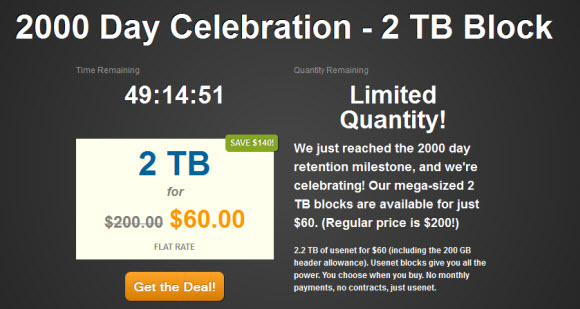
NewsgroupDirect is one of the leading Usenet providers that recently hit 2,000 days of binary retention.  To celebrate the milestone NGD is offering a huge discount on 2 terabyte blocks.  Instead ofthe regular price of $200 you can purchase a 2 TB block for just $60.  That’s a savings of 70% and a full $140 off the normal price.  The promotion is available to new and existing members.  Remember to sign up by February 10th to save.

NewsgroupDirect 200 day celebration

NewsgroupDirect 2 TB blocks normally go for a full $200.  During their 2000 day promo you can save $140 which is 70% off the normal price.  Block accounts from NGD are non-expiring so you can use the 2 TB block until it’s depleted.  NewsgroupDirect has server farms in the United States and Europe.  With support for SSL and up to 50 simultaneous connections allowed.  The offer is open to new and existing members.

How do block Usenet accounts work?

  • Blocks are different than unlimited accounts.  Most users are very familiar with unlimited plans meaning you can use the service as much as you want for a given monthly fee.  Blocks are different.  You are only billed once and receive a “block” of Usenet downloads.  In this case 2 TB of access to NewsgroupDirect.  Rather than being charged monthly you can enjoy the block until all 2 TB is used up.

Need more than one 2 TB block?  Strong!  If so NewsgroupDirect will let you pick up multiple blocks during the holiday deal.  We use a block account for fills and backup purposes.  Our block is much smaller though.  Once again the promo is available for new and existing customers.  Rremember to sign up by February 10th to save.