Easynews Passes 1,200 Days of Binary Retention

Easynews recently updated their NNTP binary retention from 1,130 days up to 1,200 days.  The increase of over two months (70 days to be exact) is immediate.  So Easynews users can enjoy the extra retention without any increase in cost.  In fact Easynews is offering unlimited NNTP Usenet access for just $9.95 a month along with a free trial of their popular web interface.  Which makes is easy to access 200+ days of web retention as well.

Since we always have the question posed let us explain the difference between Easynews 1,200 days of NNTP binary retention and their 200+ days of web retention.  In simple terms NNTP retention is the number everyone else uses.  Newshosting, UNS, Astraweb, NewsDemon, Thundernews, NewsgroupDirect, Giganews, Ngroups, UseNetNow, etc.  You get the idea.  While web retention is unique to the popular Easynews web interface.

  • NNTP retention uses traditional newsreader software like Newsbin Pro, NewsLeecher, SABnzbd, etc. to connect and download from Usenet.  Easynews includes NNTP access with all plans along with the option of unlimited NNTP Usenet for just $9.95 a month.
  • Web retention is completely unique to Easynews.  As their web interface sets them apart from everyone else.  It is by far the best solution we’ve found for non tech savvy Internet users making the jump to Usenet.  As the web interface makes it very simple to search for content, preview and download.  Those new to Easynews can try the web interface free for 14 days.

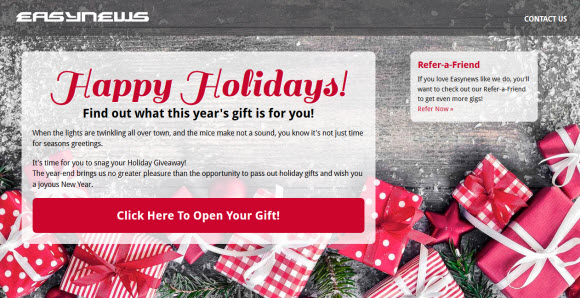
We also enjoy the new Christmas design on the Easynews site.  Cheers to the Easynews team for their latest achievement – 1,200 days of binary retention.  We look forward to more great updates in the year ahead.

Visit Newsgroup Reviews to learn more about Usenet and follow us @NewsgroupRevs for the latest deals.

NzbLeecher Review : Web-Based NZB Downloader

We recently had the opportunity to test a new web-based NZB downloader called NzbLeecher.  NzbLeecher downloads content from Usenet based on an uploaded NZB file or associated URL.  It lacks the features of a full blown web Usenet interface like Easynews.  Yet it’s very simple to use.  You feed the site an NZB file or URL and NzbLeecher does the rest.  Gold members also have their download requests stored indefinitely.

Thanks to the team over at NzbLeecher for the Gold account we used for testing.  To get started we visited NzbLeecher.com and logged in.  From there we needed to find something to download.  So we headed on over to NZB.CC and searched for “Ubuntu 11.10″ which brought up several options.  We chose the first NZB which was 771 MB from 59 days ago.  We then downloaded the associated NZB file to our hard drive.

From there we went back to NzbLeecher and uploaded our NZB file.  At that point the service took a few seconds to queue the Ubuntu download.  We were then presented with a ‘Go to Your Download’ button.  Once we clicked the button we were presented with the following screen:

Clicking on the ‘Click Here to Download’ button brought up the option to open or save the Ubuntu zip.  Something we should have mentioned.  NzbLeecher compresses the resulting NZB content into a zip.  We chose to save the Ubuntu zip and started the download as shown below:

We were able to download the 675 MB Ubuntu zip file in around 6 minutes.  At a rate of about 1.8 to 2 MB per second.  Our 59 day old Ubuntu download was perfect.  Without any need of repair.  We asked about retention and NzbLeecher supports 1,200+ days of binaries.

NzbLeecher advantages – NzbLeecher is very easy to use.  Simply drop in the NZB and download the associated contents in a .zip file.  Leaving you open to find the NZB’s via sites like nzb.cc, binsearch, nzbmatrix, newzbin, mysterbin or anywhere else you prefer.  The service was reliable and without any glitches.

Future opportunities – we’d really like to see SSL support.  The NzbLeecher team assured us they don’t log IP’s or other personal info but we prefer encrypted downloads.  You could always consider a VPN service with NzbLeecher.  The other area that could be improved in our opinion is NZB handling.  Rather than automatically download all contents let the user select which parts to download.  That way you can skip unnecessary PAR’s.

We enjoyed testing NzbLeecher and look forward to tracking their progress.  Visit Newsgroup Reviews to learn more about Usenet and follow us @NewsgroupRevs for the latest news and special offers.

NBRemote : Newsbin Pro Remote Control

December 5, 2011 update: after using NBRemote from time to time over the last couple weeks we enjoy the app even more. You should definitely check it out and let us know what you think.

Earlier this year we started using Splashtop to remotely access Newsbin Pro.  Which was ok but Splashtop is a remote desktop app for iOS.  So it wasn’t integrated with the Newsbin client features in an iPhone / iPad rich interface.  Today that all changed as Newsbin released their own remote control client.  NBRemote let’s you control Newsbin from your iOS device.  It’s available in the App Store for iPhone, iPad or iPod Touch for $2.99.

NBRemote First Impressions

In a moment we’ll dive into the installation, configuration and features of NBRemote.  Before we do though I’d like to share some thoughts on the new app.  As I know some won’t want to read this whole post to decide whether or not to spend the $2.99 for the app.  In short if you use Newsbin Pro and have an iPhone or iPad we highly recommend you download NBRemote.  Definitely a solid effort and well worth supporting.  So read on to learn more about NBRemote and then download your copy and enjoy controlling Newsbin remotely.

NBRemote Prerequisites

In order to use NBRemote you will need a registered copy of Newsbin version 6.11 or later.  So if you’re currently on the free trial version you’ll want to go ahead and purchase a license.  The cost has been lowered from $35 to $20 and that includes free upgrades for life.  You might also consider Newsbin Internet Search.

NBRemote Installation

As mention make sure you have Newsbin Pro version 6.11 or later.  We tested on the latest beta release which was Newsbin 6.20 RC2 Build 1500.  After you’ve got that taken care of hop on into the App Store from your iPhone or iPad and purchase NBRemote.  The app is only 3.1 MB so it doesn’t take long to download.

Newsbin Configuration

Before launching NBRemote you’ll want to configure some related settings in Newsbin.  To do so fire up Newsbin and go to Options – Options – Remote Control.  Which will bring up the following screen:

Check the box to ‘Enable Remote Control‘ and set a password.  You can make the password anything you want.  It will be used to connect from NBRemote.  You can change the port or leave it as 118.  Note: if you change it make sure to set the port number in NBRemote to match.  Now you’re ready to launch NBRemote.

NBRemote Configuration

The first time you launch NBRemote you’ll need to go in and setup a connection to your system.  Using this guide will make it a breeze.  We’ll walk you through it here as well.  To get started you’ll want to know the IP address of your host computer.  To find out you can drop to a command prompt (cmd) and run ipconfig.   Here’s a helpful video if you have any trouble finding your IP address.  You will also need your Newsbin serial number.  From inside Newsbin click on HelpAbout Newsbin Pro to obtain your registration code.

The first time you launch NBRemote you’ll need to add the connection back to your computer to access Newsbin remotely.  To do so go to Settings and then Add Newsbin computer:

Fill in the Computer settings screen as follows:
  • Description:  Any name you want for the connection.
  • Server address:  The IP address or your computer.
  • Server port:  Only change if you chose a port other than 118
  • Serial number:  Enter your Newsbin Pro registration code
  • Password:  Enter the password you chose a moment ago in Newsbin Pro.

When your finished hit the Test connection button.  If all goes well you’ll see ‘Connected Successfully’ after a few seconds.  In my case I got another message the first time around.  An error stating ‘Authentication required’.  As usual I had fat fingered some information.  In this case the serial number.  A quick fix followed by ‘Connected successfully’.  The other common error you might see is ‘The connection timeout has expired’.  In that case confirm the IP address is entered correctly.  Otherwise you’re ready to use NBRemote.

Launching NBRemote : Connecting to Newsbin

The first thing you want to do after opening NBRemote each time is connect to your Newsbin remotely.  To do so tap on Computers and then the name you gave to your system.  Note that you can set up NBRemote to remotely control more than one computer.  Once connected we went right to the Search area.

NBRemote Search Functionality

I expected that NBRemote would support the Newsbin Internet Search feature and it does quite well.  However, I was surprised by the other Usenet search options including Binsearch, NZBMatrix and Nzbs.org.  I tested both the Newsbin search and Binsearch.  Here are some screenshots:

I searched for ‘Ubuntu’ using Newsbin internet search and Binsearch.  Because let’s face it.  You can never have too many Ubuntu distros.  We played a little with the filter options for the Newsbin search and then tested out Binsearch which is one of our other favorite Usenet search engines.  Next it was time to download.

Downloading with NBRemote

I chose a Ubuntu distro from Binsearch and created the NZB file.  Then downloaded it to my PC remotely from NBRemote.  Later I downloaded a picture of a train directly to the iPhone and opened it.  In the files area you can view local files (on your device) or Newsbin files (on your computer).  There is also an optional setting to integrate NBRemote with your Dropbox account.

Browsing Newsgroups with NBRemote

Along with searching for Usenet content by topic the NBRemote also lets you browse through newsgroups.  As you would from inside Newsbin.  Simply tap on ‘Groups’ from the NBRemote home screen.  We chose the alt.binaries.pictures.railroad group to test and found a number of results after tweaking the filter options.

By default the NBRemote filter is enabled and set to only show posts between 0 and 1 day old.  We noticed the same when testing hte Newsbin internet search feature.  Since that didn’t net many results from the train group we extended the filter out to it’s max number of days which is 720 days.  Then we got nearly 3,000 results.

In the future I look forward to diving deeper into NBRemote.  Some of the other features include Dropbox integration and an option to add any search site you like.  Basically you add the name and URL to the search menu and use the engine of your preference.  You can tell a lot of planning went into the app.  Especially at such an early stage.  Definitely a fun project to track and an app we will use.

Hopefully you’ve enjoyed my review / guide / ramblings about NBRemote.  It really is a cool app to remotely control Newsbin.  I hope you’ll try it out and let us know what you think.  As always you can visit Newsgroup Reviews to learn more about Usenet and follow us @NewsgroupRevs to share your thoughts.

NewsLeecher SuperSearch It Feature

NewsLeecher is hard at work on their version 5 release.  With new betas posted in October and November.  The betas have included a number of new features, tweaks and most recently a holiday theme.  A couple weeks ago we shared our impressions of the new Repair & Extract Destination Manager.  Now we’d like to share our thoughts on the other major update in the NewsLeecher v5 beta 7 release.  Namely the SuperSearch It feature.

First let’s take a look at the SuperSearch It feature description from the NewsLeecher v5.0 Beta 7 notes:

A new feature named SuperSearch It, has been implemented for all tab views in NewsLeecher. The feature makes it very fast and easy to use SuperSearch for searching specific groups, article subjects and poster names. The feature also makes it very fast to browse entire groups through SuperSearch, without having to fetch headers for the specific group. Feature can be accessed by the ‘Flash Icon’ buttons, or the F4 keyboard shortcut.

The first thing you want to do is download and install NewsLeecher 5 beta 7 or higher.  Beta 8 includes the holiday theme.  To access the new feature you’ll want to open NewsLeecher and either click on a lightning bolt “flash icon” button or press F4.  Either will display the following SuperSearch It screen:

We found the new SuperSearchIt feature quite helpful for finding content in a specific newsgroup without downloading headers.  Either by topic “article subject” or by poster name.  Notice that “days to search” defaults to 30.  Depending on your topic of interest you can definitely increase that number.  We chose “ubuntu” as our topic of interest and searched just within the alt.binaries.cd.image.linux group for results in the last 30 days.

As you can see our search netted 5 results.  You might also notice how the query is structured as ubuntu groups:”alt.binaries.cd.image.linux”.  Once you get the hang of it you can easily type in your own queries.  Adjusting the number of days to search via the dropdown to the left of the search field.

While our example was pretty simple it illustrates the usefulness of the new SuperSearch It feature.  Remember to use the new features you will need NewsLeecher version 5 beta 7 or higher.  Customers can download the latest beta directly from their site.  Those new to the reader can make use of their free trial to test the client.

Visit Newsgroup Reviews to compare Usenet clients and follow us @NewsgroupRevs for the latest deals.

ThunderNews Holiday Theme and Usenet Deals

At the same time many were decorating for Christmas the ThunderNews site got a new festive look for the holidays.  Along with outstanding Black Friday specials.  Some of which are still active.  While we write this post there are still a handful of $6.50 unlimited Usenet accounts available here.  After the Black Friday / Cyber Monday deals end our Thundernews NGR special is still active, offering unlimited Usenet for $10.49 a month.

It’s always fun to see Usenet providers and other online services decorate their sites for the holiday season.  The ThuderNews Christmas theme hits on the season with snowflakes, santa’s hat, bells and gifts.  The real gift is in the price as ThunderNews offers some of the best deals on unlimited Usenet downloads.

As we mentioned above ThunderNews still has a few $6.50 unlimited account left.  These sold out quick on Friday so they must have added a few more for Cyber Monday or in celebration of the season in general.  Whatever the reason if you get in for $6.50 cheers!  Here’s the link.  Once the $6.50 sell out they also have some left for $7.50 and $7.99.  We’re not sure when these deals will end but likely soon.

You can read our ThunderNews review to learn more about the service.  We’ve been fans of their reliability and support over the years.  As such ThunderNews has been an Editor’s Choice selection the last couple years.  They might not have the name recognition of some other providers but ThunderNews offers a quality service for a great value.  Especially during this time of year as they’ve become known for their excellent holiday deals.

Visit Newsgroup Reviews to learn more about Usenet and follow us @NewsgroupRevs for the latest deals.

NZBMatrix Site Down : Find Temporary Alternatives

November 28, 2011 – NZBMatrix is currently down.  Right now the site is timing out.  NZBMatrix.info shows the site is offline but doesn’t give a reason so we’re not sure how long they’ll down.  In the meantime here’s a list of alternative NZB sites to consider.  You can also sign up for the Newshosting $9.99 deal which includes the Newshosting Usenet client with built-in search.

November 21, 2011 – The NZBMatrix site is currently down.  Same ‘Database Server: Connection Error‘ as we’ve seen in the past.  Not likely a simple database fix given the recurrence.  Hopefully the NZBMatrix team will find a long-term solution.

November 19, 2011 – NZBMatrix was hit with a DDOS (distributed denial of service) attack.  They are working through the issue and hope to have the site along with API and RSS bookmarks up soon.

November 15, 2011 – The NZBMatrix site is currently down.  Visitors are seeing a message stating ‘Database Server: Connection Error‘.   Hopefully they will have the site back up soon.

November 11, 2011 – The NZBMatrix site is currently down.  Visitors are seeing a message stating ‘Database Server: MySQL Connection Error: Too many connections‘.  Same issue they had earlier in the week.

November 9, 2011 – The NZBMatrix site is currently down.  Visitors are seeing a message stating ‘Database Server: MySQL Connection Error: Too many connections‘.  According to NzbMatrix.info the site is offline as they look into the SQL issues.

November 1, 2011 update – Nzbmatrix is currently down as they work to transition to new servers.  So if you see the ‘Doing some upgrades, back soon… message don’t worry.  According to nzbmatrix,info the update should be complete sometime tomorrow.

October 7, 2011 – NZBMatrix is having some issues.  The message being displayed for users is “dbconn: mysql_connect: Host ‘nzbmatrix.com’ is blocked because of many connection errors; unblock with ‘mysqladmin flush-hosts’”.  The Nzbmatrix.info site shows the current status as ‘issues’ with no ETA on the fix.

August 24, 2011 – NZBMatrix is currently down due to a fiber cut near their hosting provider.  All servers remain online so once the fiber is fixed the site will be back up.

July 1 ,2011 update: NZBMatrix experienced another outage today.  As we understand it was caused by their host performing emergency maintenance.  The site is back online but as of 5:30 PM EST NZBxxx is still down.

June 20, 2011 update: NZBMatrix is experiencing an outage.  Their service status page (nzbmatrix.info) shows that all sites and services are “Offline” due to a router failure at the hosts site.  The fix is estimated to take an hour.  In the meantime here is a list of alternate NZB sites.

February 5, 2011 update: one of our favorite NZB sites – NZBMatrix – is down at the moment.  Their service status page (nzbmatrix.info) shows the site as “Online” but nzbmatrix.com is currently down.  We will let you know as any further updates are released.  In the meantime if you need an alternative Usenet search engine visit NewsgroupReviews.com.

Usenet Clients : Beginners Guide to Newsreaders

Those new to Usenet can spend a lot of time finding the right Usenet client.  It can be a challenge with all the options out there.  Which is best… a web Usenet interface?  web server client?  traditional newsreader?  After years of downloading from Usenet we have our favorites and will share several of them.  That way you have a wide assortment of choices.  With a list of both free and premium newsreaders to choose from.

We’re going to break out our newsreader recommendations into categories.  First covering clients we find the most useful for those new to Usenet.  Followed by some options for those more comfortable with the how Usenet works.  These typically have more options but also require more technical knowledge to fully take advantage of the benefits.  First let’s take a look at some good choices for new users.

Usenet Clients for those new to Usenet

For those who haven’t downloaded from Usenet before the task of choosing a client can be a challenge.  This guide will help you get set up quickly and fully enjoy newsgroups.  First consider your technical background and whether you want to install a newsreader or browse and download from within your web browser.

If you prefer web browser then look to Easynews as they have the best web interface by far.  Those new to Easynews can test the service free for 14 days.  Easynews offers both web and NNTP access.  So as you become more comfortable you can choose to connect via newsreader or the web interface.

Those who prefer a software client might consider services that include their own clients.  Our favorite is Newshosting.  The advantage being that the Newshosting client comes pre-configured and is very easy to use.  Search for content, preview and download.  The client even takes care of file repairs and extraction.

Newshosting is our favorite all-in-one Usenet service.  They offer unlimited Usenet access with free Newshosting client and built-in Usenet search for just $9.99 a month or $99 a year.  Definitely one of the best values around.  The Newshosting newsreader comes pre-configured and is available for Windows, Mac and Linux.  Read our Newshosting client tour to learn more about the browser.

Binverse is another all-in-one Usenet service.  Their accounts are more expensive than Newshosting and retention a bit lower.  Yet the client is quite good and is available for both Windows and Mac clients.  Those new to Binverse can test the service free for 3 days.  Including up to 60 GB of Usenet downloads.

Usenet clients for newsgroup novices

As you get more comfortable with Usenet the number of newsreader options widens.  Those listed above are still great choices but you also have some other quality clients to choose from.  These newsreaders typically take more knowledge to configure but also offer some pretty cool advanced features.

Newsbin Pro has been a favorite client of ours for years.  Newsbin is intuitive and let’s you configure your Usenet experience.  Set up multiple news servers, search for content using the Newsbin internet (Usenet) search feature and let the client take care of the rest.  Newsbin costs $20 and includes free upgrades for life.  You can download a free 10 day trial to test the client.

Newsleecher is another very good Usenet client.  We especially enjoy their SuperSearch Usenet engine.  The reader is full featured and includes a number of tweaks for advanced users.  You can download a free trial of Newsleecher and test the client free for 14 days.  Newsleecher costs $20-$30 a year based on whether you just get the client or add the SuperSearch feature.  SuperSearch makes searching Usenet very convenient.

Binreader is one of our favorite free binary Usenet clients.  The newsreader is simple to use and includes portable versions so you can run it from a thumb drive.  Having a portable Usenet client is a nice convenience.  Binreader is free to download for Windows, Mac and Linux.

Usenet clients for advanced users or highly technical

Some might skip straight to this category.  If you have lots of technical knowledge and don’t mind configuring scripts then these options might be for you.  You will find a lot of help in the SABnzbd forum from other members as well.  Since SABnzbd is free you can always run it in addition to one of the above clients for awhile.

SABnzbd is a favorite of many veteran Usenet fans.  The web-based client runs as a web server and allows you to download binary files.  With a number of very good add-ons available.  The free client is open-source and available for download on Windows, Mac or Linux.  This one takes some time to tweak and configure.

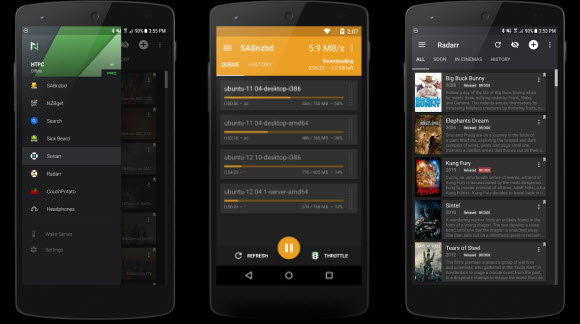
The power of SABnzbd doesn’t stop with the browser.  Since the client is open-source and insanely popular a number of add-ons have been developed.  You can check out some of the top choices including nzbdStatus, SABConnect and Sick Beard from the SABnzbd home page.  We also enjoy the SABMobile iPad app.

As you configure and tweak the various add-ons and scripts SABnzbd takes on a life of it’s own.  We know a lot of Usenet veterans who love the client while others find it difficult to configure.  For that reason we don’t always recommend it to first time Usenet users unless you have a strong technical background.

Visit Newsgroup Reviews to learn more about Usenet and follow us @NewsgroupRevs for the latest deals.

Black Friday Usenet Specials : 2011 Holiday Deals

November 30th update: the Black Friday / Cyber Monday specials are done for this year.  However, there are still some great deals available including unlimited Usenet access from these top providers:

November 25th update: it’s finally time for this year’s Black Friday fun.  Enjoy the deals!

  • NewsDemon – mystery specials – Sign Up
  • ThunderNews – multiple discounts – Sign Up
  • NewsgroupDirect – mystery deals – Sign Up
  • UseNetNow / BlockNewsSign Up
  • theUsenet – multiple discounts – Sign Up
  • theCubeNet – multiple deals – Sign Up

November 24th update: UseNetNow, BlockNews and Frugal Usenet are offering fans a sneak peak of their Black Friday and holiday specials.  You can see the account types and quantities available but the prices won’t be shown until each deal goes live on Friday.  See our UseNetNow / BlockNews / Frugal Usenet Black Friday deals post for more details.

November 23rd update:  it’s almost time for this year’s Black Friday fun.  Last year the deals started early evening EST time Thanksgiving night.  We look forward to covering all the best Black Friday offers again this year.  Remember when time comes we’ll list all the Black Friday deals at the top of this post as they launch.  So the list will change as the hours roll on.  They will also be present on the Newsgroup Reviews home page.

It’s almost time to launch the 2011 Black Friday Usenet deals again this year.  Last time around was a lot of fun and we plan to cover all the Thanksgiving / Black Friday / Holiday newsgroup specials right here again this year.  Enjoy some of the best deals of 2011 courtesy of top Usenet providers.  We’ll have some great holiday specials along with a few surprises.  Make sure to keep an eye on this post as we will begin to drop in the Black Friday deals Thanksgiving night.  From what we’ve heard so far this year will be fun as always.

We will start from the top and cover the top 10 Black Friday / Holiday Usenet deals of 2011.  Remember the list will change as Black Friday deals launch so please check back for the best deals of 2011.  Click on any provider below or visit the Newsgroup Reviews home page for sign up details.

1.  UseNetServer – $10 unlimited Usenet access for life

UNS offers high retention, free SSL and Usenet search for $10 a month or $95 a year.  All included with 20 connections and unlimited newsgroup downloads.  Read our UNS review to learn more about the service.

2.  Newshosting – $9,99 unlimited Usenet access for life

Newshosting is offering unlimited Usenet downloads, a free newsreader with built-in search, 30 connections and SSL  for just $9.99 a month or $99 a year.  Read our Newshosting review for details.

3.  NewsDemon – $9.99 unlimited Usenet for life

NewsDemon offers unlimited newsgroup access along with a newsreader, 30 GB of online storage, SSL and 50 connections for just $9.99 a month.  Read our NewsDemon review to learn more.

4.  Astraweb – $11 unlimited Usenet access for life

The deal that started it all.  Astraweb is still offering $11 a month / $96 a year unlimited Usenet access with 20 connections, SSL  and high binary retention.  Read our Astraweb review for more details.

5.  Easynews – $9.95 unlimited Usenet for life

Easynews is offering unlimited NNTP Usenet access along with 1,130 days of binary retention and 20 SSL connections for just $9.95 a month.  Read our Easynews review to learn more.

6.  ThunderNews – $10.49 unlimited Usenet for life

ThunderNews includes unlimited Usenet access with secure (SSL) encryption, 50 connections and a free newsreader for $10.49 a month.  Read our ThunderNews review to learn more.

7.  Ngroups – $9.99 unlimited Usenet access

Ngroups NGR special includes unlimited Usenet access with 20 SSL connections and free unlimited Livedrive online storage for just $9.99 a month.  Read our Ngroups review for more details.

8.  MaximumUsenet – $9.99 unlimited Usenet access

MaximumUsenet offers NGR visitors unlimited access to newsgroups along with free SSL encryption and 50 connections. for just $9.99 a month.  Read our Maximum Usenet review for more details.

9.  UseNetNow – $10.39 unlimited Usenet access

UseNetNow offers NGR visitors unlimited Usenet downloads along with free SSL encryption and 50 connections. for just $10.39 a month.  Read our UseNetNow review for more details.

10.  Fast Usenet – $9.95 unlimited Usenet access

Fast Usenet is offering unlimited newsgroup downloads along with 50 connections and secure SSL encryption for just $9.95 a month.  Read our Fast Usenet review to learn more.

A sincere thank you to all the Usenet providers offering holiday specials.  We  appreciate your efforts and consideration in making the deals available.  To our NGR visitors we hope you enjoy the Black Friday / holiday Usenet deals.  Save some money and enjoy the best premium newsgroup access!

NewsDemon Black Friday Usenet Deals

NewsDemon has offered some great Black Friday specials in years past and we expect the same will be true for 2011.  This time around they are offering mystery deals.  NewsDemon will be running hourly specials between 7 AM EST and noon so stay tuned to their Black Friday page for more details and to sign up.

The NewsDemon Black Friday specials will be rolled out each hour between 7:00 AM EST and noon EST.  Each deal will last one hour.  With the final discount ending at noon EST.  So be sure to visit the NewsDemon Black Friday page each hour to catch the latest deal.

Here are some details of the NewsDemon Usenet service:
- Unlimited download speeds
- Free licensed newsreader (News Rover)
- Free 30 GB of online storage (with unlimited Plus plan)
- Free SSL encryption
- 1,196+ days of binary retention
- 1,400 days of text retention
- 99%+ completion rate
- 100,000+ newsgroups
- 50 concurrent connections
- News servers in the US and Europe
- 24/7 tech support

Read our NewsDemon review to learn more or visit our NewsDemon Black Friday page to sign up.

Visit Newsgroup Reviews to learn more about Usenet and follow us @NewsgroupRevs for the latest deals.

theCubeNet Black Friday Usenet Specials

theCubeNet launched earlier this year and has offered several special offers.  The latest of which is a large selection of Black Friday Usenet discounts.  Including unlimited newsgroup accounts and block plans from 25 GB up to 1 TB.  Quantities are limited.  Visit theCubeNet special page for more details and to sign up.

theCubeNet Black Friday specials go live at midnight EST on Black Friday.  The first visitors will have a chance at their doorbuster deals.  With other discounts available through Nov. 30th.  Here’s a list of theCubeNet specials.

theCubeNet Black Friday Doorbuster deals:

  • Each doorbuster account listed below is limited to the first 500 sign ups
  • Unlimited Usenet – $4.99 a month
  • 25 GB block – $1.79
  • 50 GB block – $2.99
  • 100 GB block – $6.99
  • 200 GB block – $10.99
  • 500 GB block – $24.99
  • 1,000 GB block – $49.99

theCubeNet Black Friday deals (Nov. 25 – 30):

  • Account limits are high – between 2,000 and 5,000 sign ups each
  • Unlimited Usenet – $5.99 to $6.99 a month (quarterly and annual term discounts)
  • 25 GB block – $2.99
  • 50 GB block – $5.69
  • 100 GB block – $10.99
  • 200 GB block – $17.99
  • 500 GB block – $34.99
  • 1,000 GB block – $69.99

Visit theCubeNet special page for more details and to sign up.

Visit Newsgroup Reviews to learn more about Usenet and follow us @NewsgroupRevs for the latest deals.